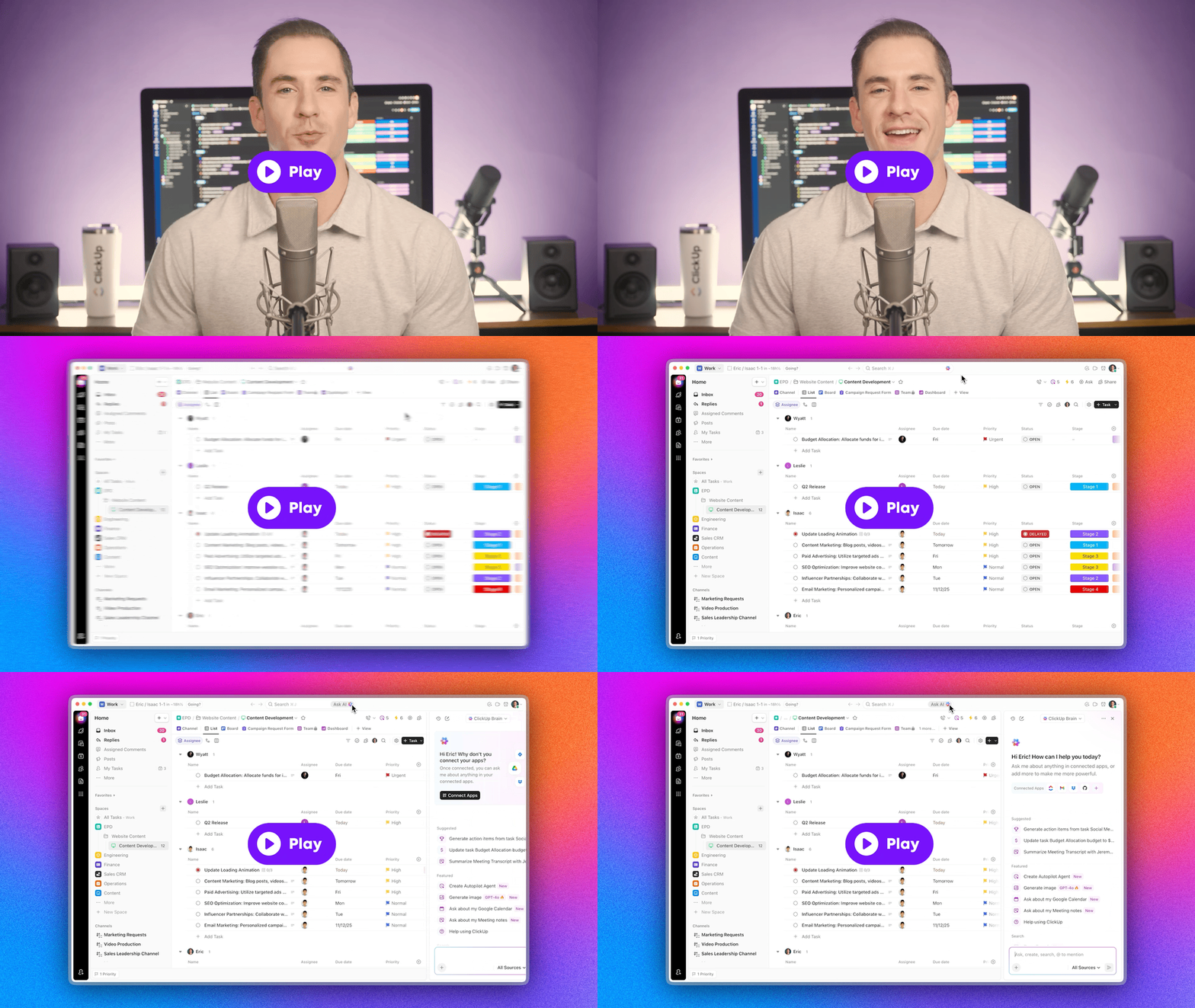
Check out this week's platform improvements.
 ͏  ͏  ͏  ͏  ͏  ͏  ͏  ͏  ͏  ͏  ͏  ͏  ͏  ͏  ͏  ͏  ͏  ͏  ͏  ͏  ͏  ͏  ͏  ͏  ͏  ͏  ͏  ͏  ͏  ͏  ͏  ͏  ͏  ͏  ͏  ͏  ͏  ͏  ͏  ͏  ͏  ͏  ͏  ͏  ͏  ͏  ͏  ͏  ͏  ͏  ͏  ͏  ͏  ͏  ͏  ͏  ͏  ͏  ͏  ͏  ͏  ͏  ͏  ͏  ͏  ͏  ͏  ͏  ͏  ͏  ͏  ͏  ͏  ͏  ͏  ͏  ͏  ͏  ͏  ͏  ͏  ͏  ͏  ͏  ͏  ͏  ͏  ͏  ͏  ͏
ClickUp
Maximize human productivity
Gmail in Brain, Ship code faster with Codegen Agent, Absolute Dates instead of Relative, and more!
This week's ClickUpdates introduces intelligent Gmail with Brain, a new AI coding teammate for tasks, and the option for absolute dates. Check out the full update below!
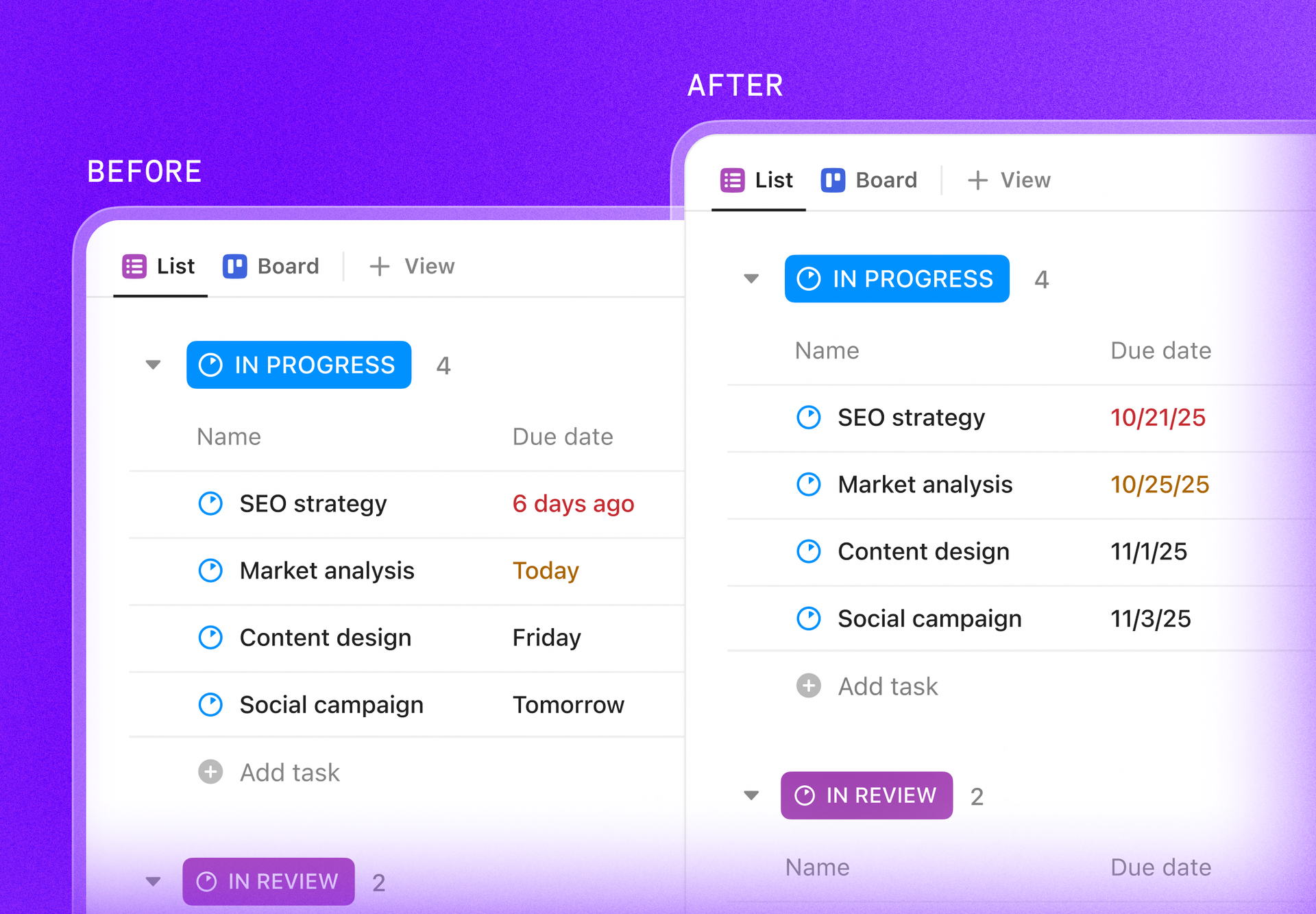
Use Absolute Dates instead of Relative (New ClickApp)
Choose how dates are displayed in your Workspace! With this ClickApp, select absolute dates (9/5/25) instead of relative dates (Today, Monday). To switch, a Workspace owner or admin can disable the Use Relative Dates ClickApp.
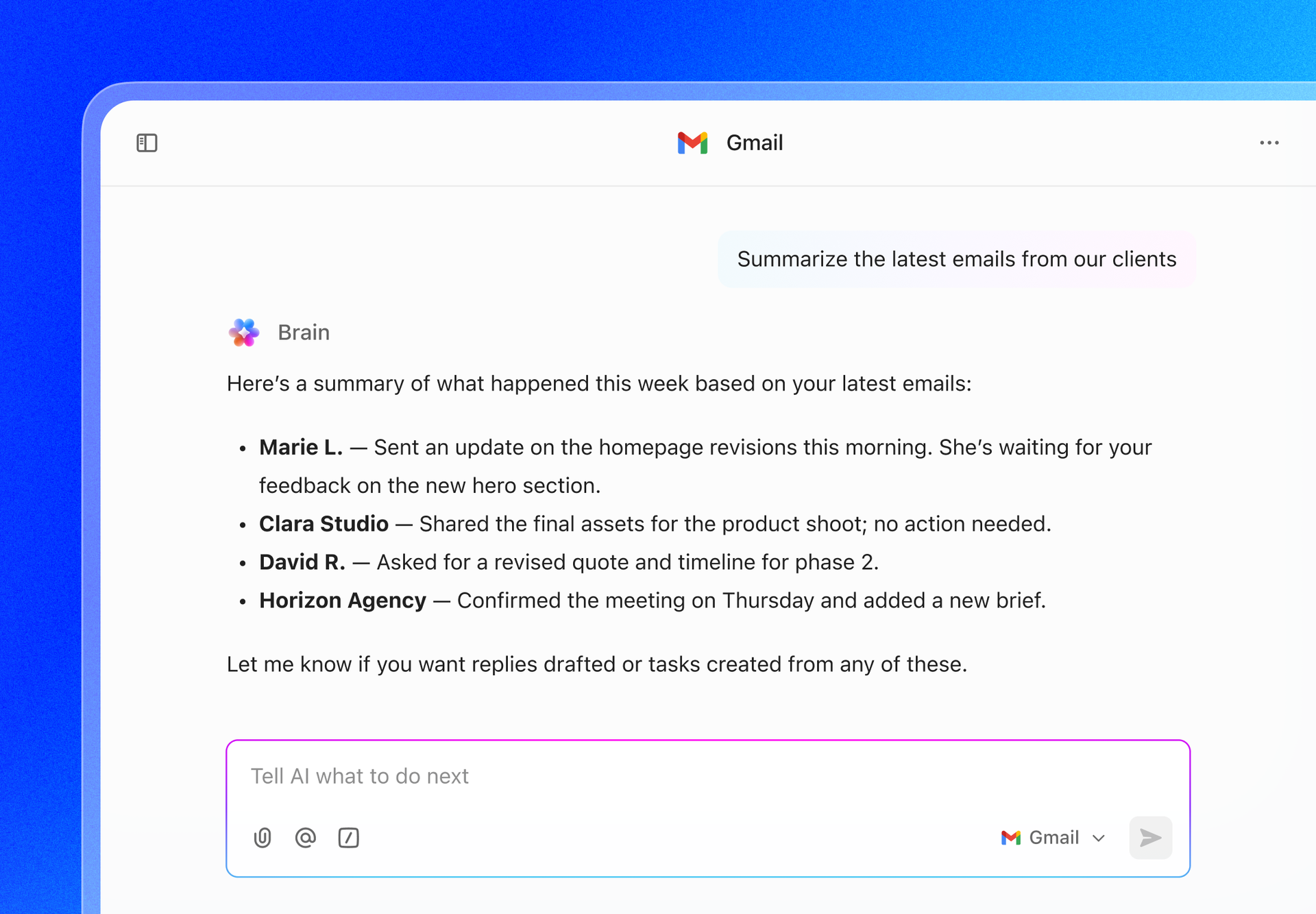
Gmail now connects to Brain for Intelligent Answers & Insights
Connect Gmail with Brain for enhanced productivity through secure email intelligence. Use AI to ask, "What are my most important emails?" or help your team by asking, "Summarize last week's emails from our clients."
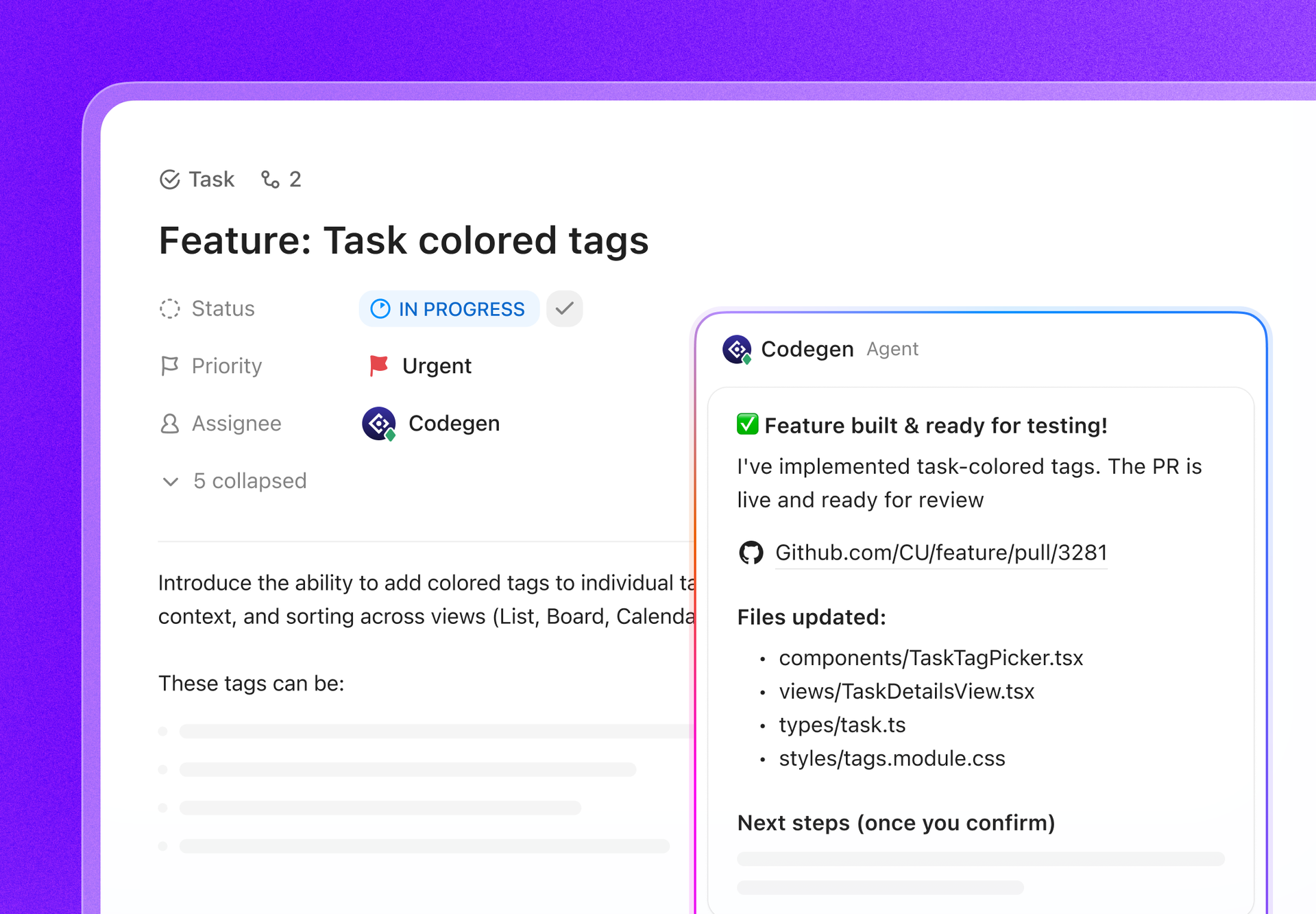
Ship Code 10x Faster: Codegen Agent for Production-Ready Bug Fixes and Updates
Boost your speed with ClickUp AI's new coding teammate. Tag @Codegen or assign it to a task, and it will gather context, write code, and open a PR quickly. Empower everyone to fix bugs, build features, and update pages. @Codegen is also in Automations, enabling automatic task-to-code conversion.
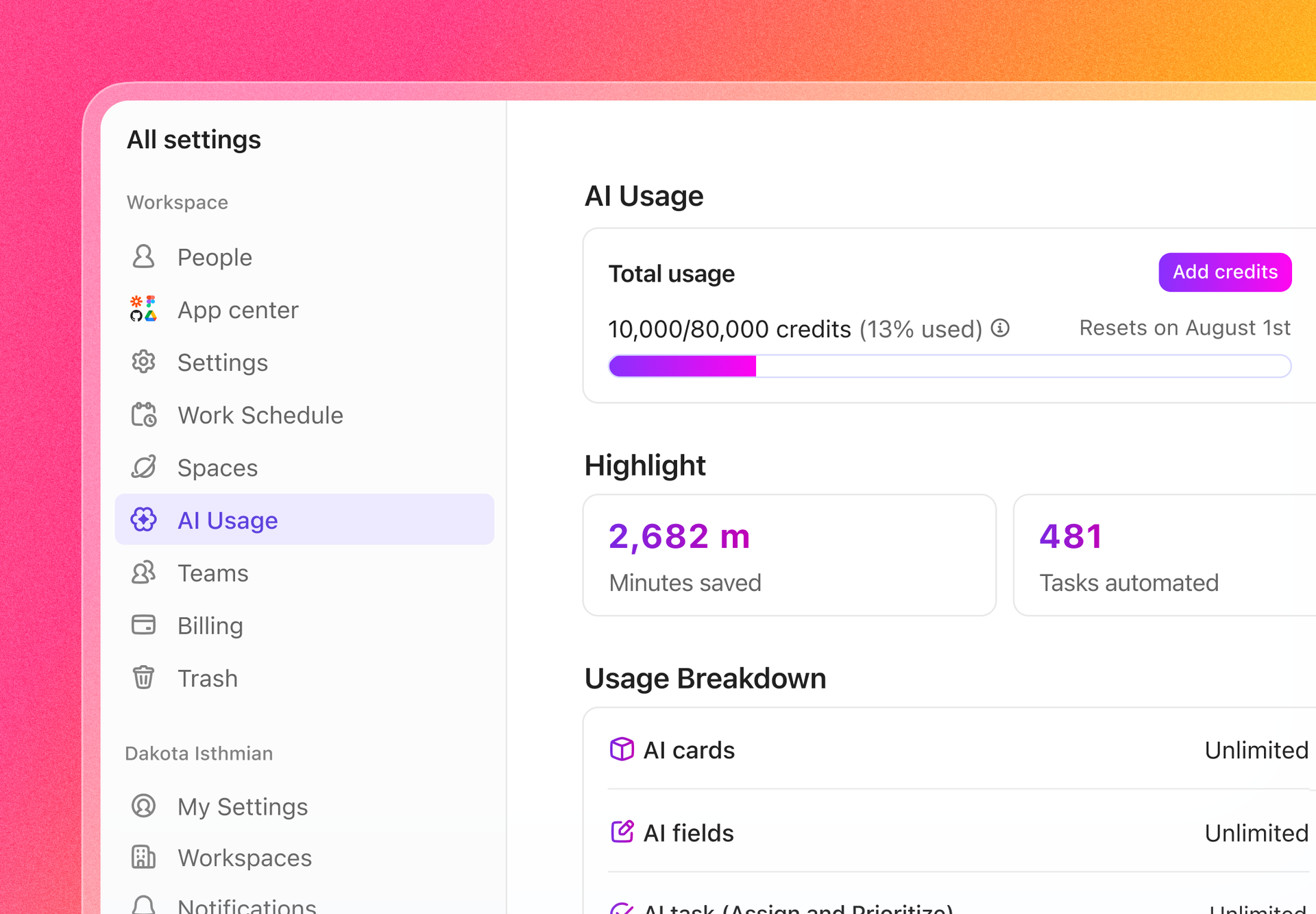
Real-time AI Usage Dashboard
Stay in control of your AI usage. Members, admins, and owners can now track AI credits across their Workspace. See how many AI credits have been used, how much is left, and spot usage trends, all in one clear dashboard.
More enhancements this week
Assign & Connect Messages to Tasks - Assigning Chat messages to your teammates, and creating tasks from threads is now even easier! We've overhauled the task creation experience, allowing you to add context from Chat threads directly into the task or use Relationships to relate existing tasks to each other.
Convert messages to tasks with AI - Use ClickUp AI to turn any Chat message into a task or assigned comment with one click. You'll instantly see task details, assignee info, and relationships right in the thread.
Watchers are now Followers - We’ve renamed Watchers to Followers throughout the platform. This change makes it clearer who is staying up to date on tasks, comments, and project activity. 
Help us build ClickUp
Check out the exciting features we're working on here. We'd love your help improving them!
Take ClickUp on the go
If you'd rather not receive this kind of email, you can Unsubscribe or manage your email preferences.
© 2025 ClickUp / 350 Tenth Ave. Suite 500, San Diego, CA 92101 / Privacy Policy

ClickUp