Programa
What's New
The latest features and improvements.

New Feature: Smart Search

Find projects, products, schedules, tasks, and contacts from anywhere in Programa faster than ever before with Smart Search.
 

As projects, products, and contacts grow across your studio, finding the right information quickly becomes critical. Smart Search helps you move through the platform at speed.

What can you do with Smart Search?

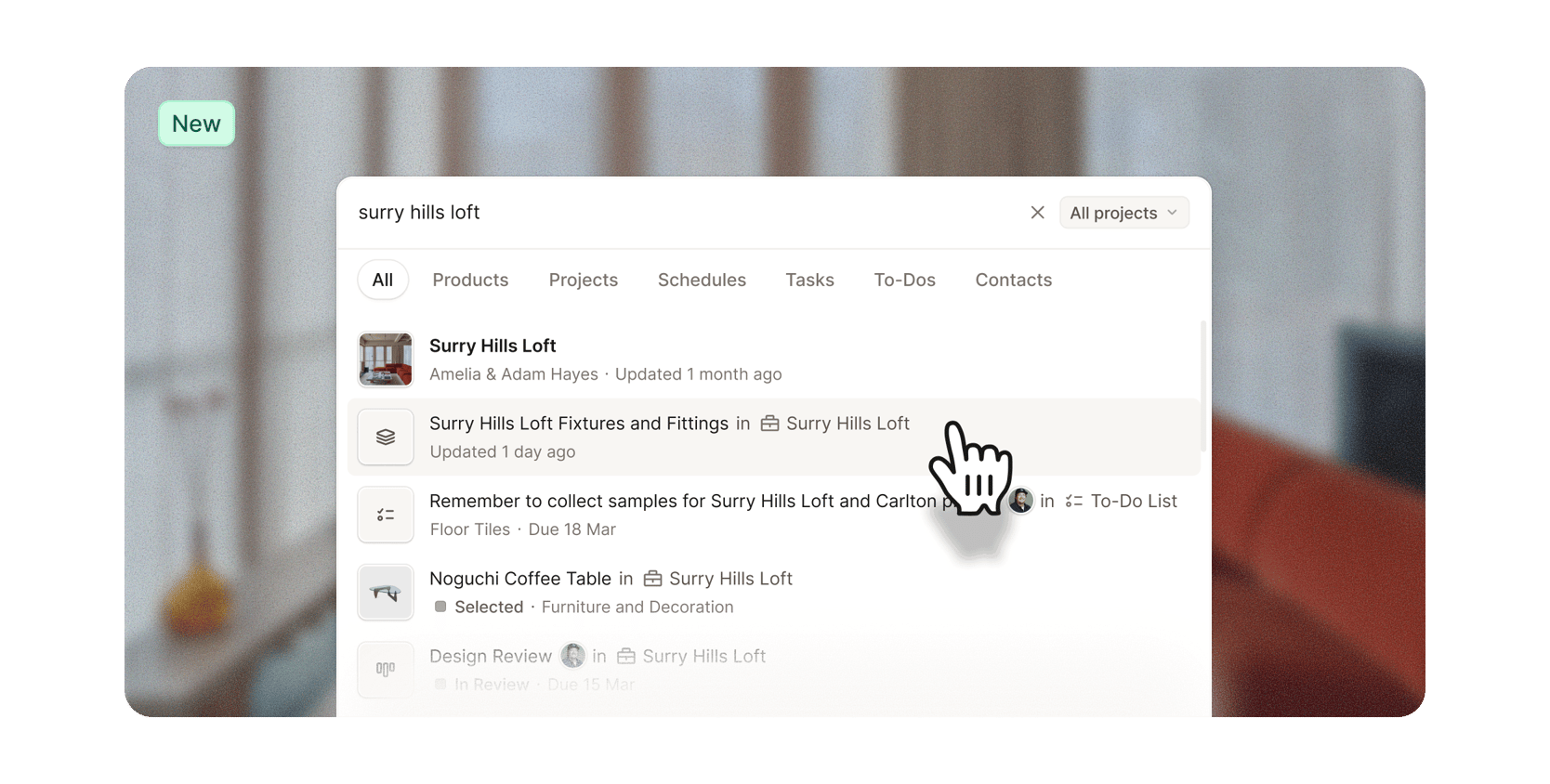
  • Search across products, projects, schedules, tasks, and contacts
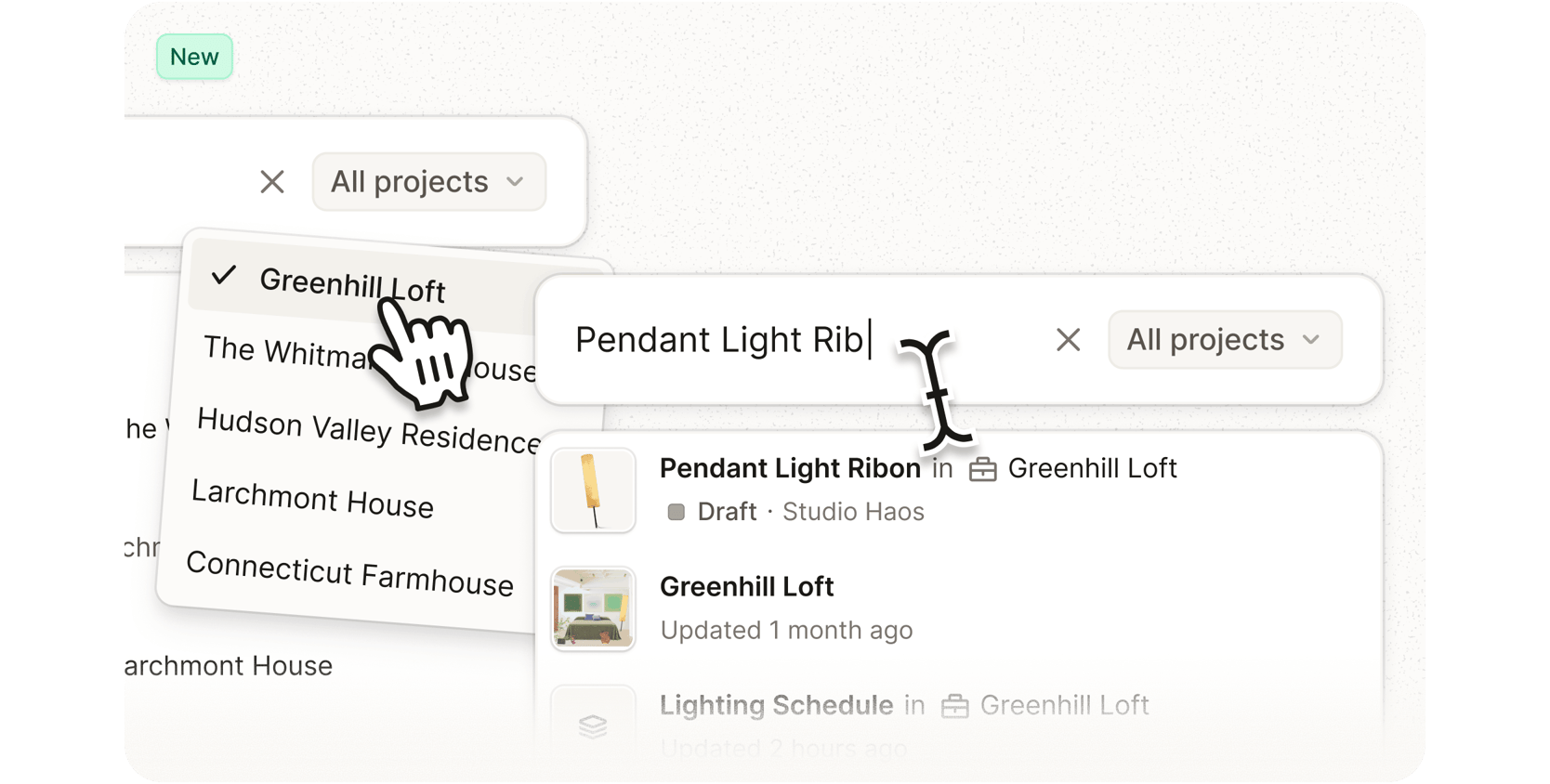
  • Filter results by category or narrow results to a specific project
  • See recently viewed projects and schedules at a glance
  • Navigate search results quickly using keyboard shortcuts


Get started

Press Cmd + K on Mac or Ctrl + K on Windows from anywhere in Programa, or select the search icon in the side navigation menu, to open Smart Search. Visit our Help Center to learn more.

Search, built differently
Most search tools inside interior design software are limited to a single area of the platform or rely on exact keyword matches.
 
Smart Search is built to work more intelligently. You don’t need to remember the exact name of something to find what you’re looking for, thanks to its ability to understand related terms and partial searches.
 
It’s also not limited to one section of Programa at a time. Search projects, products, schedules, tasks, and contacts from anywhere in the platform, without the need to navigate to a specific menu first.
 
Log in to Programa, press Cmd + K to open Smart Search and discover the difference yourself. New to Programa? Click here to start a 7-day free trial.
Coming soon: More visibility, less admin.

We’re working on two new features designed to make it easier to stay across active projects, team workloads, and tracked time.

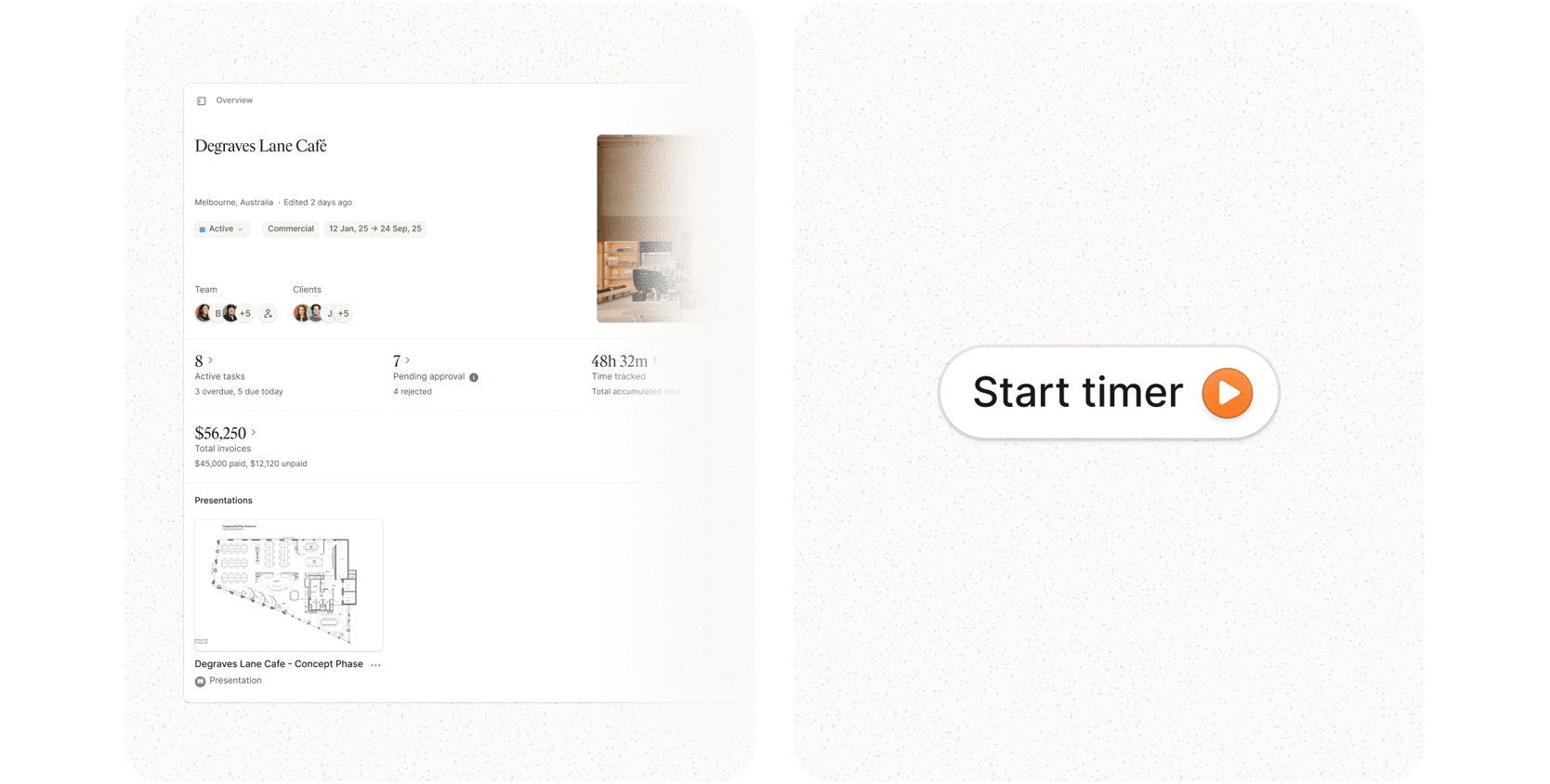
First is Project Hub, a new command center for every project. Open a project and instantly see a high-level summary of active and overdue tasks, paid and unpaid invoices, pending product approvals, tracked time, and more, with every area linked directly back to the underlying workflow.

We’re also introducing a new side navigation menu inside projects, with one-click access to Files, Project Management, Invoices, Purchase Orders, Shared Files, and Settings. The new layout keeps every part of the project connected and accessible.

We’re also updating Time Tracking inside Programa. A new timer button, accessible from anywhere in the app, offers smart project detection that automatically tracks which projects you’re actively working on as you move through Programa.

Alongside that, we’re adding more flexible time logging options, making it easier to track time against projects, phases, and tasks.

More information on both features coming soon.