Hi Andy,
This week, we’re looking at how service and field teams move intake, scheduling, payments and follow-up from paper and manual tasks to automated workflows.
Now let’s jump into the use case! Read it below in the email or click to read it online. |
|
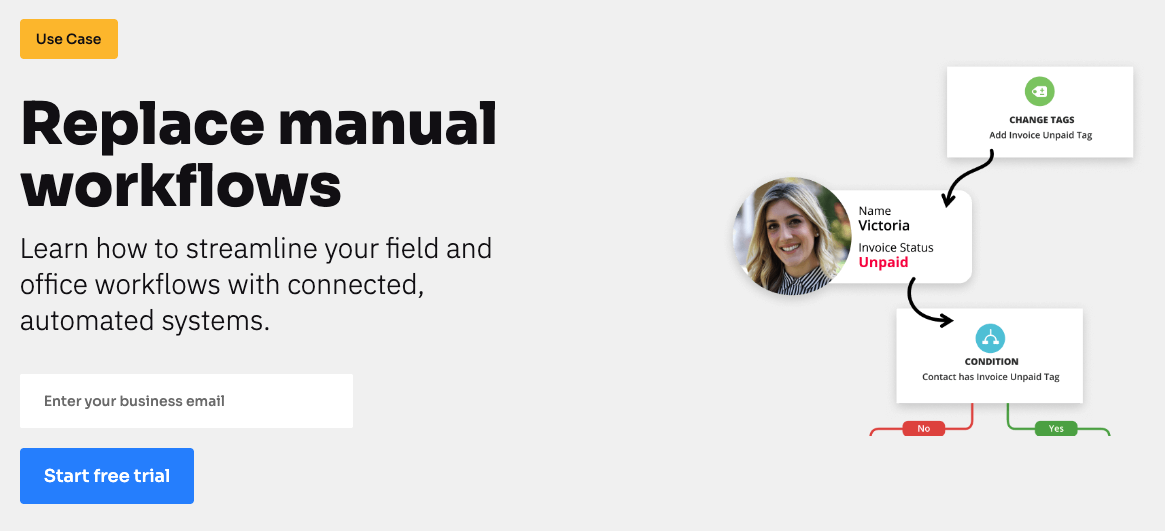
Learn how to streamline your field and office workflows with connected, automated systems. |
|
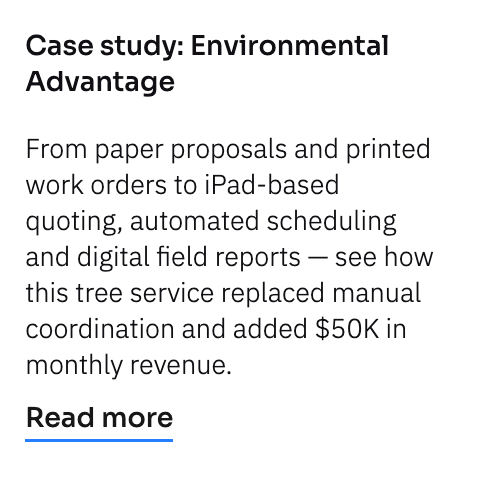
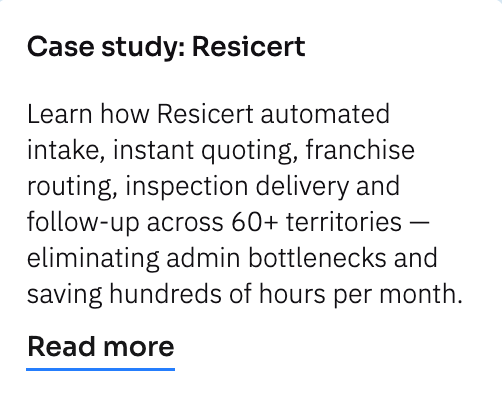
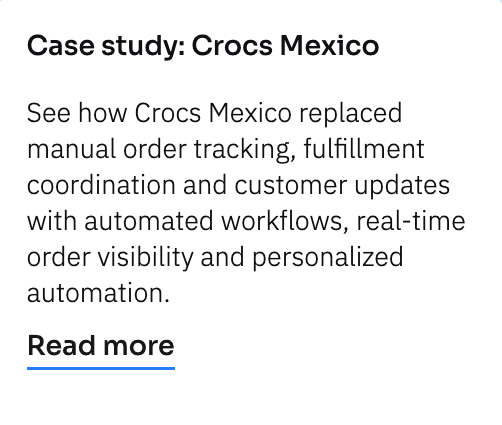
See real examples of manual workflows replaced with connected systems |
|
| | | | Run your day-to-day operations in one connected system
|
|
Manage intake, scheduling, service delivery, payments and follow-up in one place so your team isn’t jumping between spreadsheets, paperwork and disconnected apps.
|
|
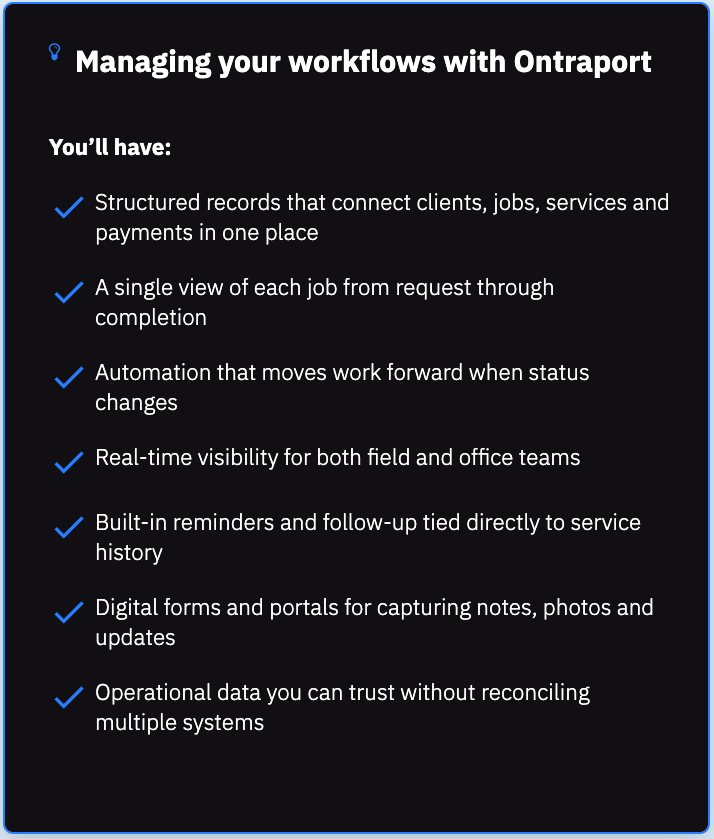
Connect jobs, appointments and services to the right people
In many service businesses, client information lives in a CRM — but appointments, quotes, work orders and invoices live somewhere else. That separation makes it hard to see the full picture of a job or a client.
With custom objects in Ontraport, you can create structured records for things like proposals, service requests, inspections or jobs — and link them directly to the right contacts, companies or team members.
That means each client can have multiple jobs, and each job can have its own status, notes, photos and payments. Your team can see everything related to that work in one unified view instead of piecing it together across separate systems.
Automatically trigger next steps
When the next action depends on someone remembering to send an email, assign a task or update a spreadsheet, processes can get stalled.
With automation, each action can immediately trigger what happens next, without manual coordination.
For example, when a quote is approved, it can notify scheduling. When a job is marked complete, it can send a report and request feedback. When a payment is received, it can update status and move the client forward.
Give your team a simple interface to work from
In many businesses, field teams rely on texts and paper notes while office staff piece together updates from spreadsheets and email threads.
With Ontraport, your team works from one clear, easy-to-use interface. Field staff can view assigned jobs, upload notes and photos, and complete reports from their device. Office teams can track job status, assign work and manage payments and follow-up — all without needing back-end system access.
|
|
Move your workflows into one connected system
|
|
Replace manual intake, scheduling and follow-up with automation your team can use every day.
|
|
6 manual processes you can move online
|
|
With Ontraport, intake, jobs, payments and follow-up live in one connected system so your team can manage day-to-day operations from a single place.
Digitize client intake
Capture service details through structured online forms that create organized records instantly instead of relying on handwritten notes or scattered email threads.
Route new service requests to the right team member
Assign jobs automatically based on location, service type or availability instead of manually forwarding emails or coordinating through text.
Manage appointments and scheduling
Keep team member availability, job assignments and reminders connected so updates stay synced and the team has easy access.
Process payments and update job status
Accept payments online or offline and tie them directly to the right service record so billing and fulfillment stay aligned.
Send reports and follow-up after service
When work is marked completed, trigger delivery of reports, confirmations or feedback requests tied to that job.
Schedule recurring service reminders
Use service history or contract terms to prompt customers to book their next visit at the right time.
|
|
How does replacing manual workflows reduce day-to-day work for your team?
|
|
| Automating manual workflows removes steps your team currently has to remember to do.
Instead of manually sending a follow-up after a job is completed, the system sends it. Instead of updating a spreadsheet when payment comes in, the status updates automatically. Instead of emailing someone to assign work, the right person is notified as soon as the job moves forward.
Your team still does the actual service and interacts with clients. They just stop managing the admin around it.
|
|
At what point do manual processes start to become a problem?
|
|
| Manual processes become risky when more than one person is involved or when volume increases.
As soon as intake, quoting, scheduling, fulfillment and billing involve multiple handoffs, things start depending on memory, email inbox visibility or spreadsheet updates. That’s when delays, missed follow-ups and inconsistent customer experiences creep in.
If your team is asking “Has this been scheduled?” or “Did anyone send that?” — that’s usually the signal that manual workflows are limiting you.
|
|
Do we have to change how our business operates to automate it?
|
|
| No. The goal isn’t to reinvent how you work — it’s to support it properly.
You define the stages your jobs move through and what should happen when something is approved, scheduled, completed or paid. Automation simply handles those transitions for you.
You won’t have to change your services; you’ll just stop coordinating them by hand.
|
|
We hope you’re feeling inspired to replace some of your manual workflows with automations. See you next week with another deep dive!
The Ontraport team
|
|
| | | See if Ontraport is right for you |
|
Ontraport is a unified CRM platform designed for growing teams. It connects your marketing, sales and support operations in one place so you can scale. |
|
We’ll be back next week with more great content on how to streamline and grow with Ontraport! |
|
| | | | Hi Andy,
This week, we’re looking at how service and field teams move intake, scheduling, payments and follow-up from paper and manual tasks to automated workflows.
Now let’s jump into the use case! Read it below in the email or click to read it online. |
|
Learn how to streamline your field and office workflows with connected, automated systems. |
|
See real examples of manual workflows replaced with connected systems |
|
| | | | Run your day-to-day operations in one connected system
|
|
Manage intake, scheduling, service delivery, payments and follow-up in one place so your team isn’t jumping between spreadsheets, paperwork and disconnected apps.
|
|
Connect jobs, appointments and services to the right people
In many service businesses, client information lives in a CRM — but appointments, quotes, work orders and invoices live somewhere else. That separation makes it hard to see the full picture of a job or a client.
With custom objects in Ontraport, you can create structured records for things like proposals, service requests, inspections or jobs — and link them directly to the right contacts, companies or team members.
That means each client can have multiple jobs, and each job can have its own status, notes, photos and payments. Your team can see everything related to that work in one unified view instead of piecing it together across separate systems.
Automatically trigger next steps
When the next action depends on someone remembering to send an email, assign a task or update a spreadsheet, processes can get stalled.
With automation, each action can immediately trigger what happens next, without manual coordination.
For example, when a quote is approved, it can notify scheduling. When a job is marked complete, it can send a report and request feedback. When a payment is received, it can update status and move the client forward.
Give your team a simple interface to work from
In many businesses, field teams rely on texts and paper notes while office staff piece together updates from spreadsheets and email threads.
With Ontraport, your team works from one clear, easy-to-use interface. Field staff can view assigned jobs, upload notes and photos, and complete reports from their device. Office teams can track job status, assign work and manage payments and follow-up — all without needing back-end system access.
|
|
Move your workflows into one connected system
|
|
Replace manual intake, scheduling and follow-up with automation your team can use every day.
|
|
6 manual processes you can move online
|
|
With Ontraport, intake, jobs, payments and follow-up live in one connected system so your team can manage day-to-day operations from a single place.
Digitize client intake
Capture service details through structured online forms that create organized records instantly instead of relying on handwritten notes or scattered email threads.
Route new service requests to the right team member
Assign jobs automatically based on location, service type or availability instead of manually forwarding emails or coordinating through text.
Manage appointments and scheduling
Keep team member availability, job assignments and reminders connected so updates stay synced and the team has easy access.
Process payments and update job status
Accept payments online or offline and tie them directly to the right service record so billing and fulfillment stay aligned.
Send reports and follow-up after service
When work is marked completed, trigger delivery of reports, confirmations or feedback requests tied to that job.
Schedule recurring service reminders
Use service history or contract terms to prompt customers to book their next visit at the right time.
|
|
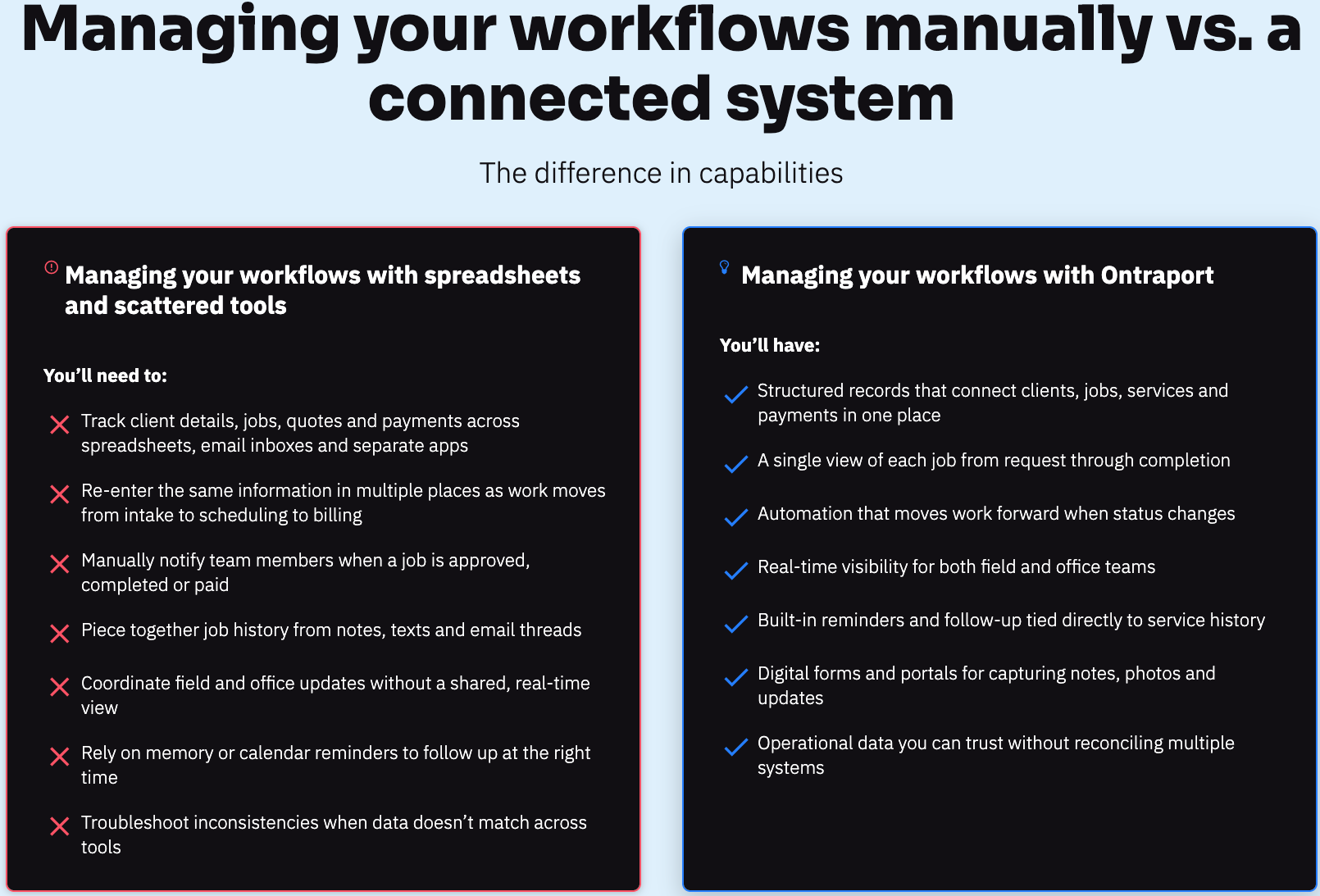
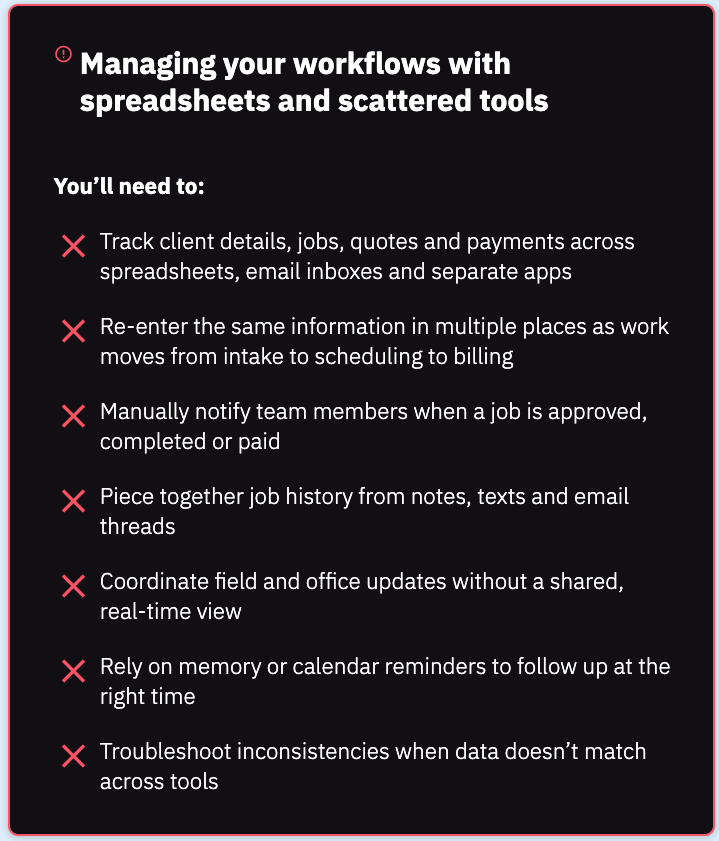
Managing your workflows manually vs. a connected system
|
|
The difference in capabilities
|
|
How does replacing manual workflows reduce day-to-day work for your team?
|
|
| Automating manual workflows removes steps your team currently has to remember to do.
Instead of manually sending a follow-up after a job is completed, the system sends it. Instead of updating a spreadsheet when payment comes in, the status updates automatically. Instead of emailing someone to assign work, the right person is notified as soon as the job moves forward.
Your team still does the actual service and interacts with clients. They just stop managing the admin around it.
|
|
At what point do manual processes start to become a problem?
|
|
| Manual processes become risky when more than one person is involved or when volume increases.
As soon as intake, quoting, scheduling, fulfillment and billing involve multiple handoffs, things start depending on memory, email inbox visibility or spreadsheet updates. That’s when delays, missed follow-ups and inconsistent customer experiences creep in.
If your team is asking “Has this been scheduled?” or “Did anyone send that?” — that’s usually the signal that manual workflows are limiting you.
|
|
Do we have to change how our business operates to automate it?
|
|
| No. The goal isn’t to reinvent how you work — it’s to support it properly.
You define the stages your jobs move through and what should happen when something is approved, scheduled, completed or paid. Automation simply handles those transitions for you.
You won’t have to change your services; you’ll just stop coordinating them by hand.
|
|
We hope you’re feeling inspired to replace some of your manual workflows with automations. See you next week with another deep dive!
The Ontraport team
|
|
| | | See if Ontraport is right for you |
|
Ontraport is a unified CRM platform designed for growing teams. It connects your marketing, sales and support operations in one place so you can scale. |
|
We’ll be back next week with more great content on how to streamline and grow with Ontraport! |
|
| | | | |