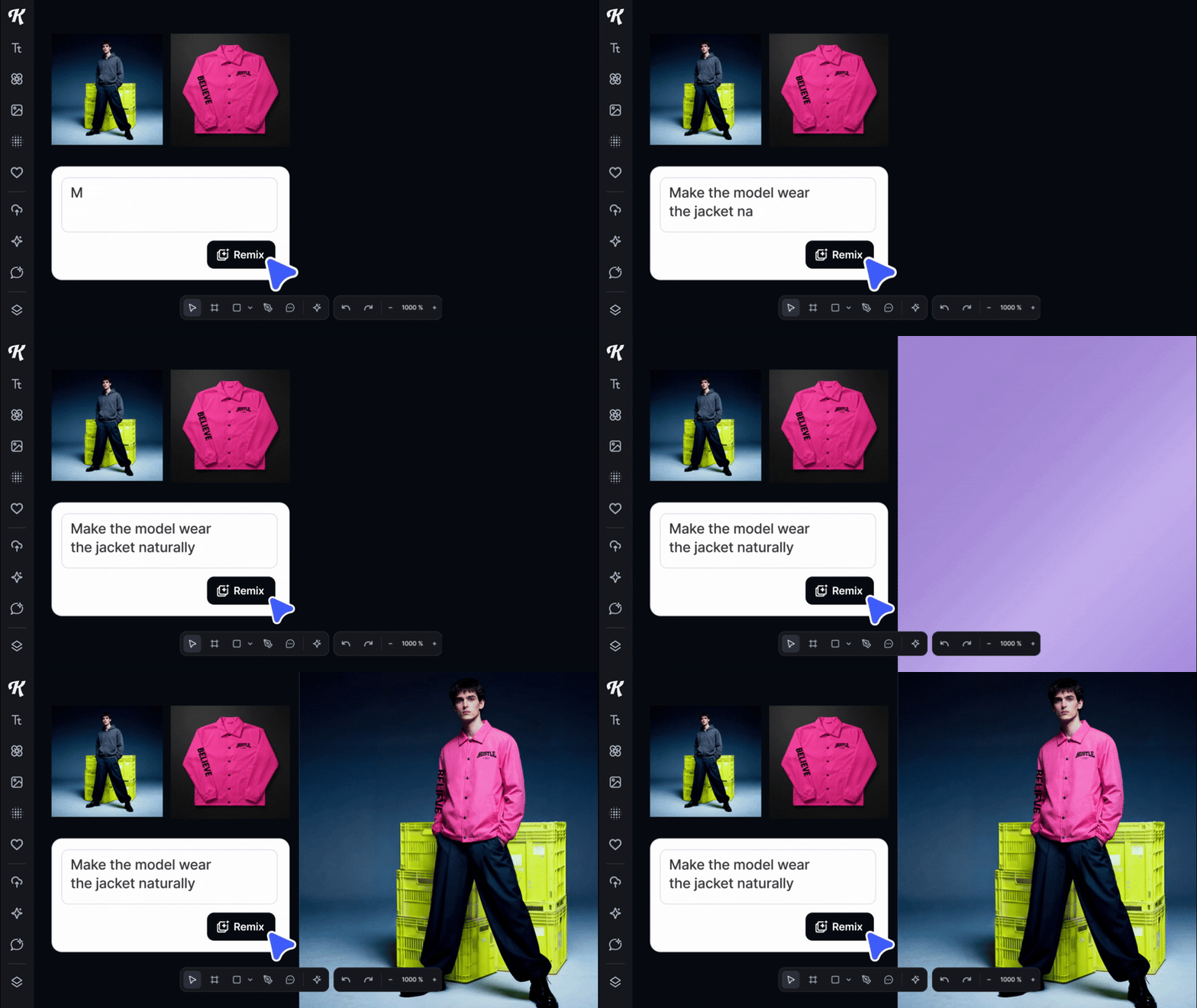
Try Remix to adjust, blend, and restyle images effortlessly. ͏ ͏ ͏ ͏ ͏ ͏ ͏ ͏ ͏ ͏ ͏ ͏ ͏ ͏ ͏ ͏ ͏ ͏ ͏ ͏ ͏ ͏ ͏ ͏ ͏ ͏ ͏ ͏ ͏ ͏ ͏ ͏ ͏ ͏ ͏ ͏ ͏ ͏ ͏ ͏ ͏ ͏ ͏ ͏ ͏ ͏ ͏ ͏ ͏ ͏
A faster way to edit and transform images |
A faster way to edit and transform images |
|
|
Hi Andy King,
At Kittl, we want to help you work faster while staying fully in control of your creative vision. And we know that one of the hardest parts of working with AI is getting it to edit or transform your existing images exactly the way you imagined, without spending forever tweaking prompts.
That’s why we built Remix.
Remix gives you a simple, flexible way to edit, update, and reimagine any image directly on your canvas. No complicated workflows. Just select your images, tell Remix what you want, and watch it evolve. |
|
|
What Remix Can Do -
Remove or replace elements: Quickly remove unwanted objects or backgrounds, and fill the space with contextually accurate content.
- Generate product backgrounds: Transform a simple product photo into a scene with depth, context, and style.
-
Merge multiple assets: Combine up to six images into a unified composition, from product mockups to complex visual stories.
- Remix existing visuals: Reimagine an image with prompts like “make this look hand-drawn” or “turn this logo into a retro 80s version.”
-
Create consistent variations: Keep campaigns cohesive by generating image variations that match your brand’s palette, tone, or mood.
How to Use Remix -
Open the AI panel at the bottom center of the editor.
- Select “Remix Image.”
- Choose one or multiple images on your canvas (or upload your own).
- Describe the change you want in a simple prompt.
- Click Generate, and your remix appears instantly on the canvas.
Fast. Flexible. Completely in your control. |
|
|
And if you want help or inspiration, just reply — we’d love to see what you’re creating. ✨
|
|
|
Kittl Technologies GmbH, Saarbrücker Straße 37, 10405 Berlin, Germany |
|
|
|
![]()