|
|
Get the most
out of every
Waymo One trip
|
|
With the Waymo Driver, getting where you need to go has never been easier. Learn how to make your next ride even better with
|
| our latest features.
|
|
With the Waymo Driver, getting where you need to go has never been easier. Learn how to make your next ride even better with our latest features.
|
|
|

|

|
Set your soundtrack with music,
podcasts, and more
|
|
Set your soundtrack with music, podcasts, and more
|
|
Play music from iHeartRadio directly on the in-car screen, or cast your own audio content from your phone. Look for “Music” on the car’s passenger screen menu to get started.
|
|
To play from your phone, Android users can select “Cast” within an audio app, while iOS users can watch this tutorial on how to set up music with Google Assistant.
|
|
|
|
|
|
Add multiple stops
|
|
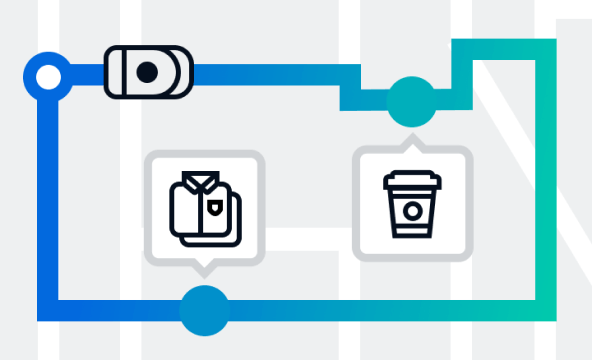
Running errands with Waymo One is easy, from grocery shopping to dry cleaning. Add up to five stops in a single trip with no extra fees.
|
|
|
|
|

|
|
|
|
Adjust for accessibility
|
|
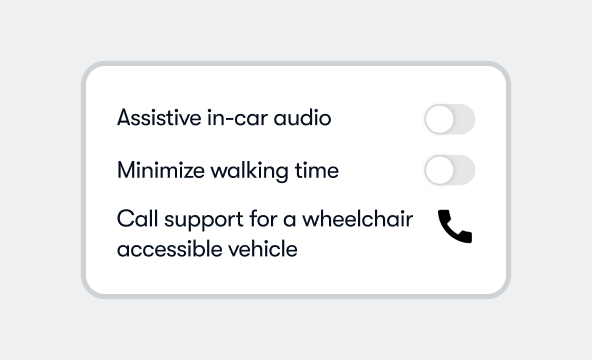
Use the Waymo One app to personalize your ride to fit your needs. Add in-car audio cues, request a wheelchair-accessible vehicle, and more.
|
|
|
|
|
|
|
|
|
Personalize your Car ID
|
|
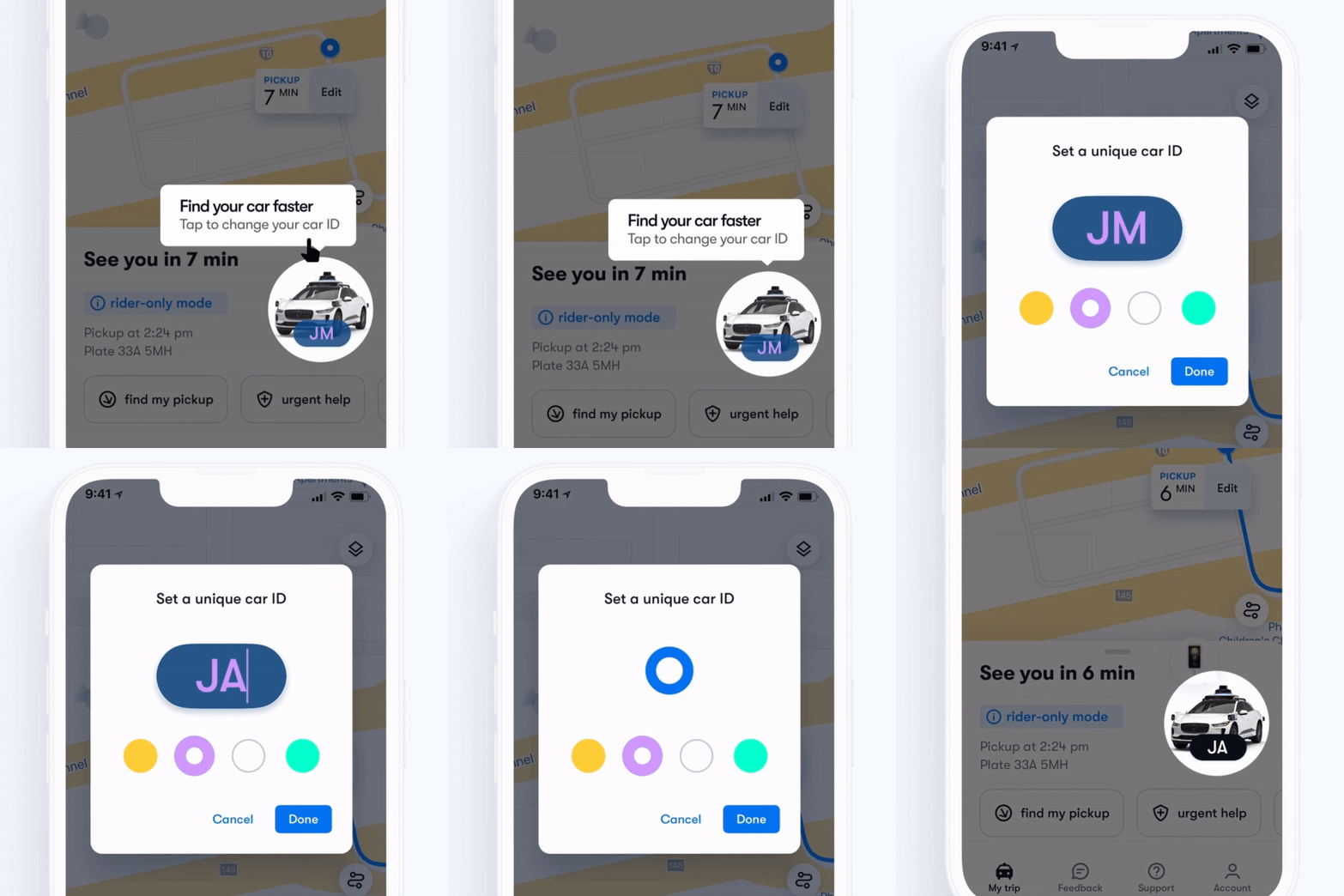
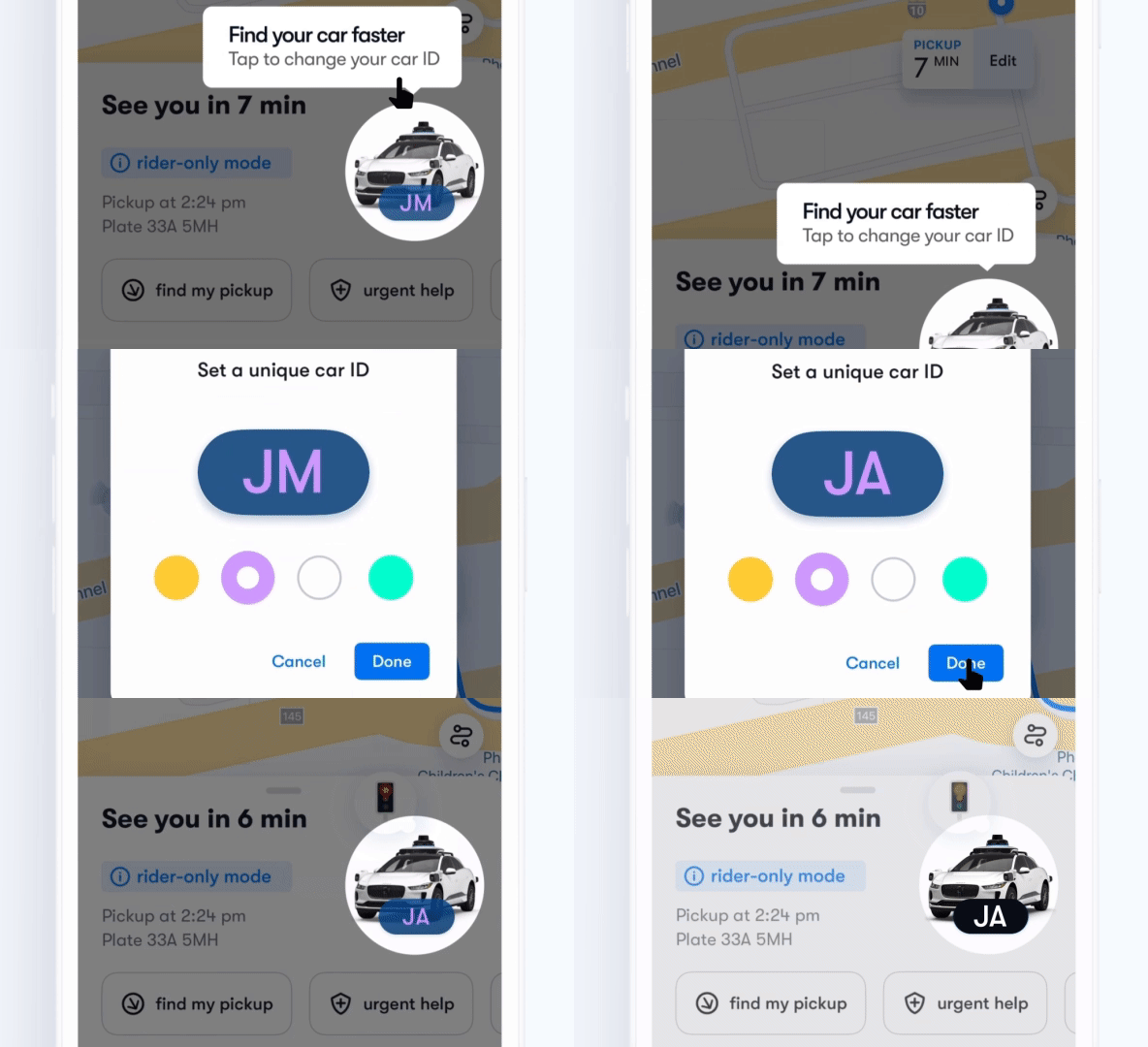
Add a custom Car ID so you can always tell which Waymo ride is yours. Start by clicking the vehicle image in the bottom right corner of the app screen.
|
|
|
|
Have a question or comment?
|
|
Visit our Help Center, email our friendly Rider Support team, or use the feedback tab in the Waymo One app to share real-time feedback.
|
|
|
|
|
|
|
|
|
|
|
|
|
| This email was sent to because you are a member of a Waymo rider program. If you do not wish to receive further Marketing communications, please unsubscribe here. |
| Was this email helpful? |
|
|
|
|
|
|
|
|
|