

On this page · 9 min read
People usually search for an HTML email builder for one reason: they need clean HTML their ESP will accept, without hand-coding tables. Maybe your ESP’s editor outputs heavy markup that breaks when you edit it. Maybe a developer built your templates two years ago and has since left. Or maybe you want control over the HTML without writing it yourself.
I have been building email HTML by hand for over 20 years, and I have shipped campaigns with every tool on this list. We built one of them, so I will point out that bias when we get there. Prices below are what each vendor published at the time of writing (September 2026); check their pricing pages for current numbers.
Why HTML email is still hard in 2026
Email HTML works differently from web HTML. Three constraints shape every tool on this list:
- The Outlook problem. The legacy desktop versions of Outlook render email with Microsoft Word’s engine, which ignores much of modern CSS. Good builders generate the table-based and conditional-comment fallbacks automatically, so you do not have to think about them.
- The Gmail clip. Gmail truncates messages when the HTML grows past roughly 102KB, hiding your footer and your unsubscribe link behind a “View entire message” click. Tools that generate heavy HTML reach that limit quickly.
- Dark mode. Several email clients invert your colors in dark mode, each in a different way. If a tool does not let you preview and control dark mode, you may only find problems after you send.
This is also why MJML keeps coming up. It is an open-source markup language, originally built at Mailjet, that compiles into well-tested, responsive email HTML. Tools built on MJML benefit from a decade of email client fixes, which is why we built the Email Love plugin on it.
How I judged these tools
Five criteria, weighted for marketers rather than developers: quality of the HTML output, whether a non-technical person can produce an email, preview and testing depth, how the tool handles your brand, and what it costs once your team is using it.
1. Email Love Builder: your Figma designs become the HTML
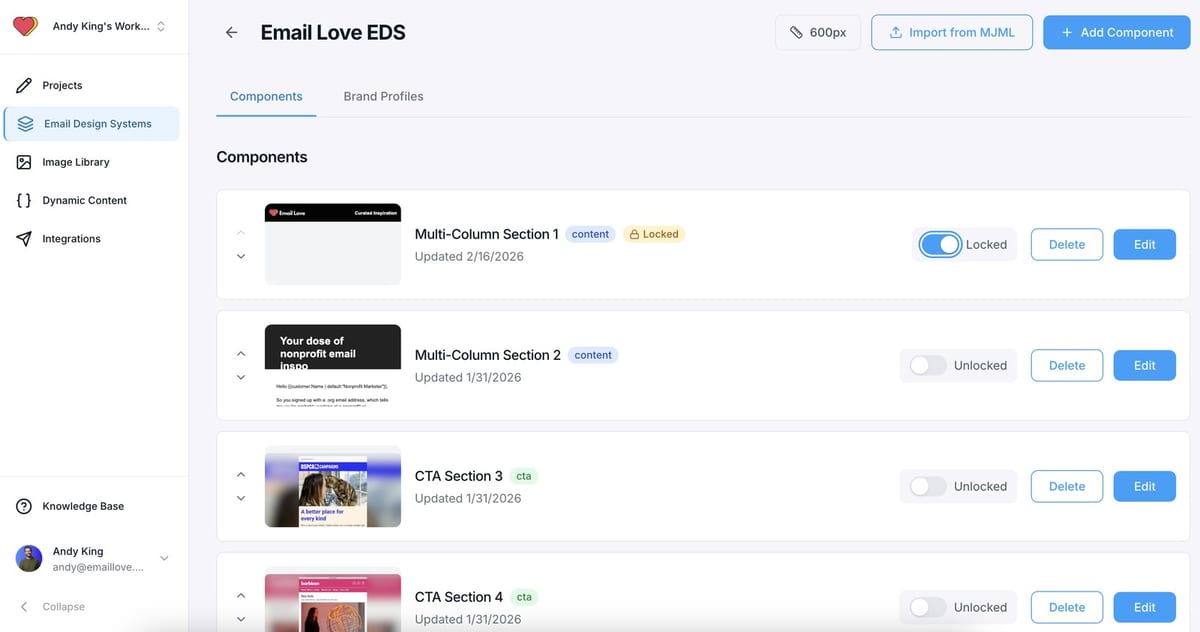
Full disclosure: this is our product. Here is the reasoning, and you can judge it against the alternatives below.
Most tools on this list generate HTML from designs you recreate in their editor. Email Love Builder generates HTML from the designs your team already makes in Figma, which stays the source of truth. The Email Love plugin mirrors your Figma components (including Auto Layout, Variants, and nested components) into MJML-backed building blocks. Marketers build campaigns visually from those blocks, and the export is clean, responsive HTML for Braze, Iterable, Salesforce Marketing Cloud, Klaviyo, HubSpot, Customer.io, and most other platforms, with your merge tags and personalization syntax intact. Nobody writes or edits code, and every email is previewed across 90+ email clients before it ships.
Because the components are tested across email clients when the design system is set up, many rendering bugs do not appear in individual emails. Change a footer in Figma, re-sync, and every template using it updates. AI works with your design system too: describe a campaign in Claude, ChatGPT, or Cursor and the agent builds it from your approved components. Jake Leffler, Email Development Specialist at StreetEasy, says it cut their dev time by more than 90 percent.
Pricing: the Figma plugin has published pricing, with a free plan (5 HTML exports a month) and paid plans from $19 per user a month. Email Love Builder, with migration done for you, is a custom quote and comes with Enterprise.
- Best for: enterprise teams whose designs live in Figma and ship lifecycle volume across one or more ESPs.
- Skip if: your team does not use Figma. The main advantage does not apply, and one of the editors below will fit better.
2. Stripo: visual editing with the code one click away
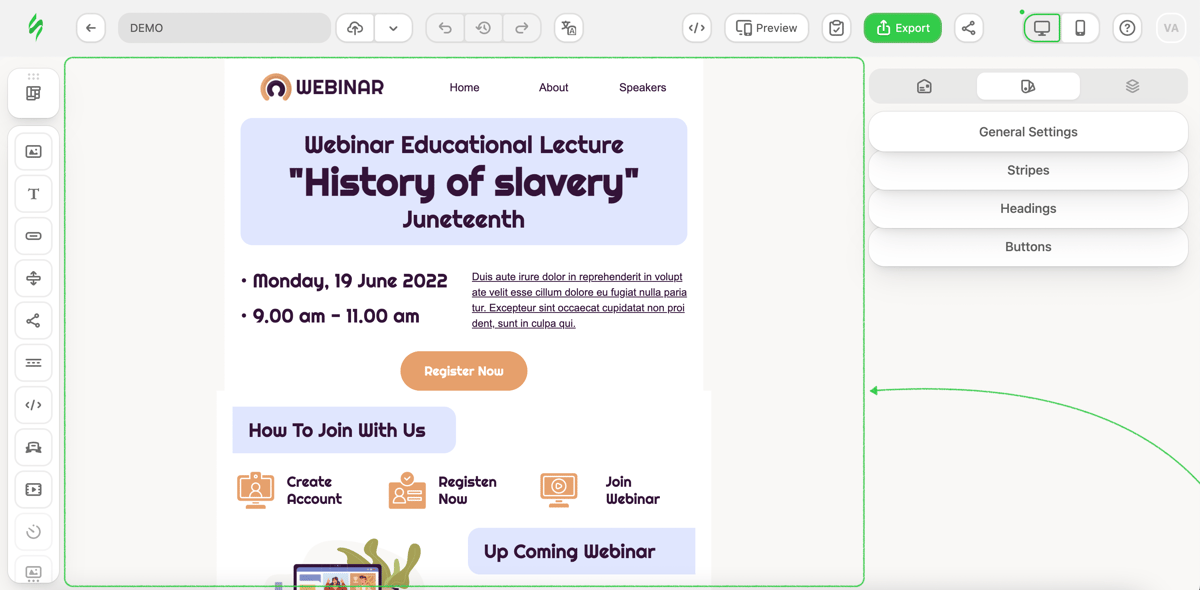
Stripo’s main feature is its dual view: a drag-and-drop builder and an HTML and CSS editor open on the same template, with no mode switching. For a marketing team with one technical member who sometimes edits code, it is one of the best standalone editors. The template gallery is large (they advertise 1,650+ free templates), AMP for Email is supported, and the platform includes a broad set of features around the editor: built-in email client testing, spam testing, an accessibility checker, AI for copy and subject lines, modular design with reusable content blocks, and an MCP integration for AI workflows.
Pricing: Free at $0 (2 members, 4 exports a month), Basic at $20 a month (50 exports), Medium at $45 (3 members, 300 exports, 5 projects), Pro at $125 (10 members, 4,000 exports). Watch the export limits: high-volume teams move up tiers faster than they expect.
- Best for: teams that want one self-contained editor with real code access and built-in testing.
- Skip if: your emails need to match your design files exactly. You will rebuild your designs in Stripo and keep them matched by hand.
For a detailed comparison, read Email Love Builder vs Stripo.
3. RGE Studio (formerly Beefree): an easy editor, now part of Really Good Emails
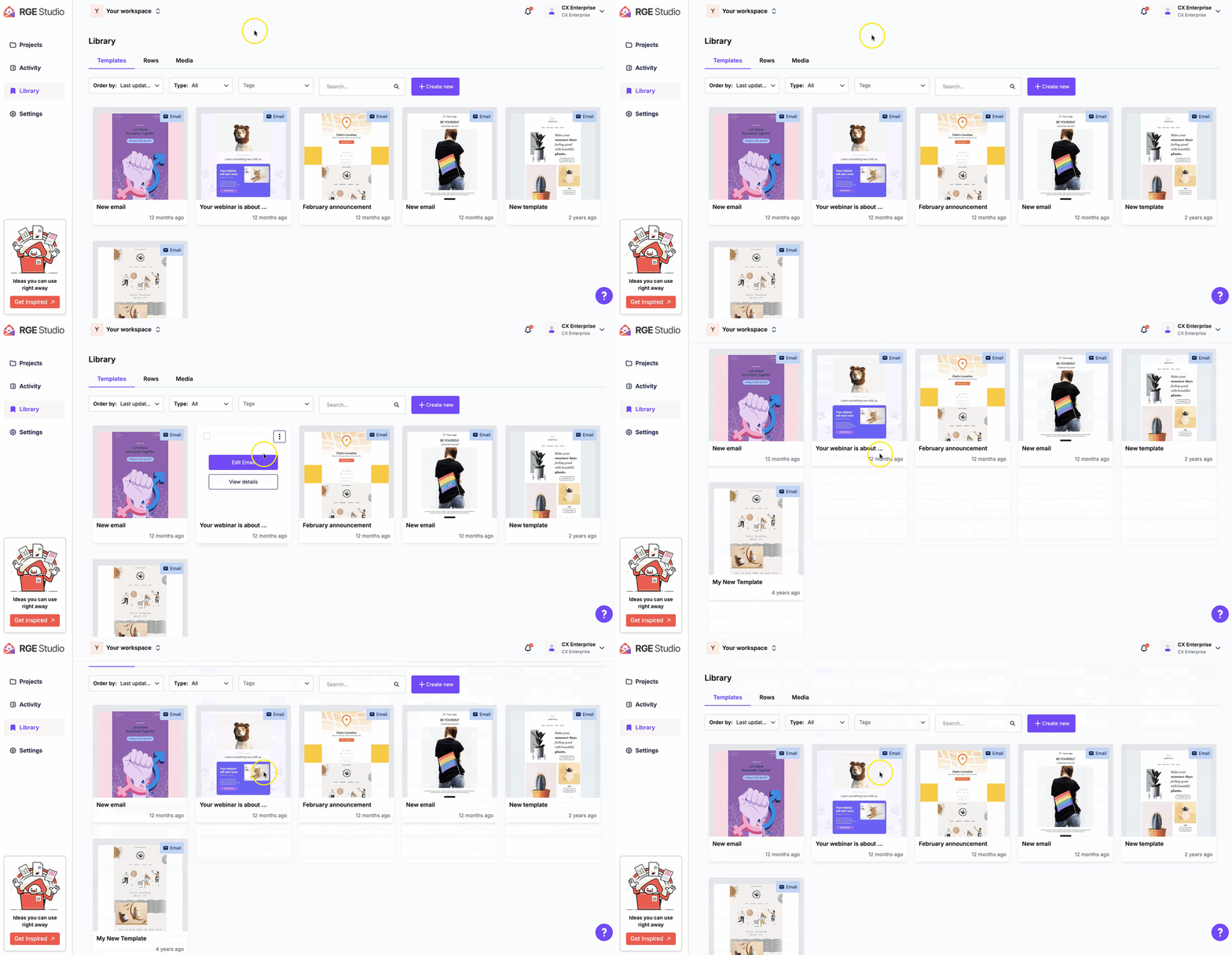
If you knew this tool as Beefree, the main 2026 news is the rebrand: Beefree is now RGE Studio, part of the Really Good Emails brand, and describes itself as the creation layer that sits above your ESP. The editor is the same one that appears in most roundups: an easy learning curve, reasonably clean HTML export, and one-click push connectors into Salesforce Marketing Cloud, HubSpot, and others.
The current feature set goes further than the old free-editor reputation suggests: reusable synced content blocks, dark mode preview, brand style kits with color permissions, multi-step approval workflows on higher tiers, an AI Co-Pilot for drafting, and design-specific commenting. Worth knowing: ESP-native dynamic content (Salesforce personalization strings, for example) does not render live in the builder; you build the logic and it resolves in the ESP.
Pricing: Starter is free (10 designs, 6 exports a month), Professional is $25 a month billed yearly ($30 monthly), Business is $134 a month billed yearly, Enterprise is custom with SSO and advanced restrictions.
- Best for: small-to-mid teams that want the easiest possible editor, and mid-size teams that need approvals without enterprise procurement.
- Skip if: you plan to stay on the free plan. At 6 exports a month, a real email program will outgrow it quickly.
For a detailed comparison, read Email Love Builder vs RGE Studio.
4. Postcards by Designmodo: modular blocks, AI Suite, tidy output
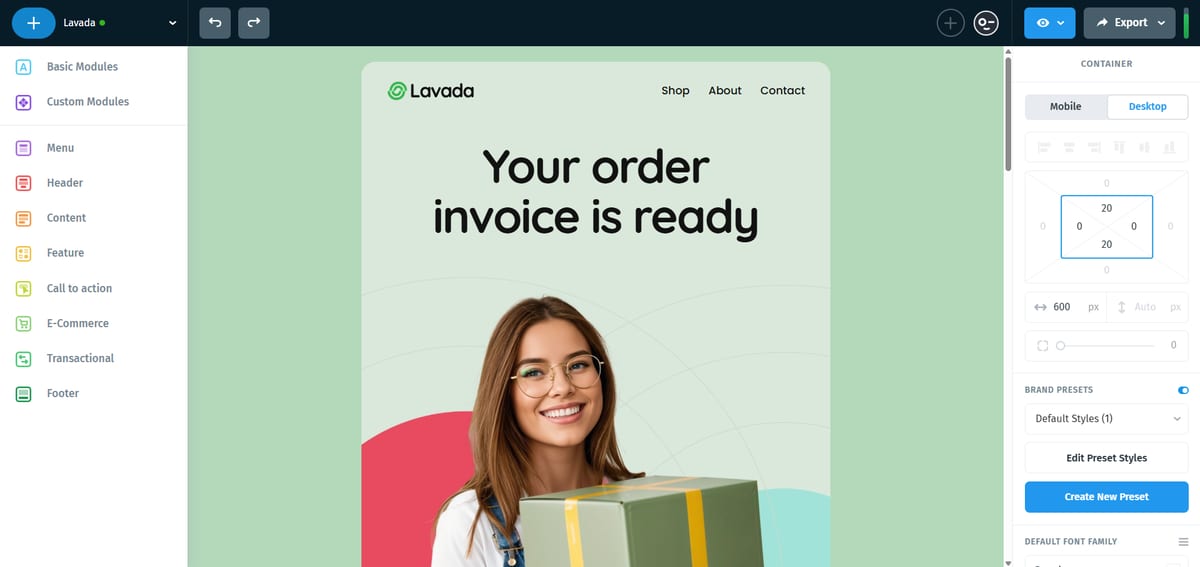
Postcards focuses on polish. Its 100+ modules look professionally designed, every module is tested in dark mode (they call the tested set Night Shift), and the modules are validated with Litmus and Email on Acid across email clients. The 2026 additions are substantial: an AI Suite that builds a full template from a prompt in a back-and-forth chat, brand import that pulls your logo, colors, and fonts from your website, and an MCP server so AI agents like Claude or Cursor can open projects and export the HTML. The editor opens with no signup, which makes it the quickest tool on this list to try.
Pricing: the editor is free to use; paid plans gate exports, team workspaces, and the AI features. Check their pricing page for current tiers.
- Best for: solo marketers and small teams without a designer who still want emails that look designed.
- Skip if: you have a strong existing brand system. You would be working within Designmodo’s design style, which is hard to adapt.
5. Parcel: for when you want to work in the HTML
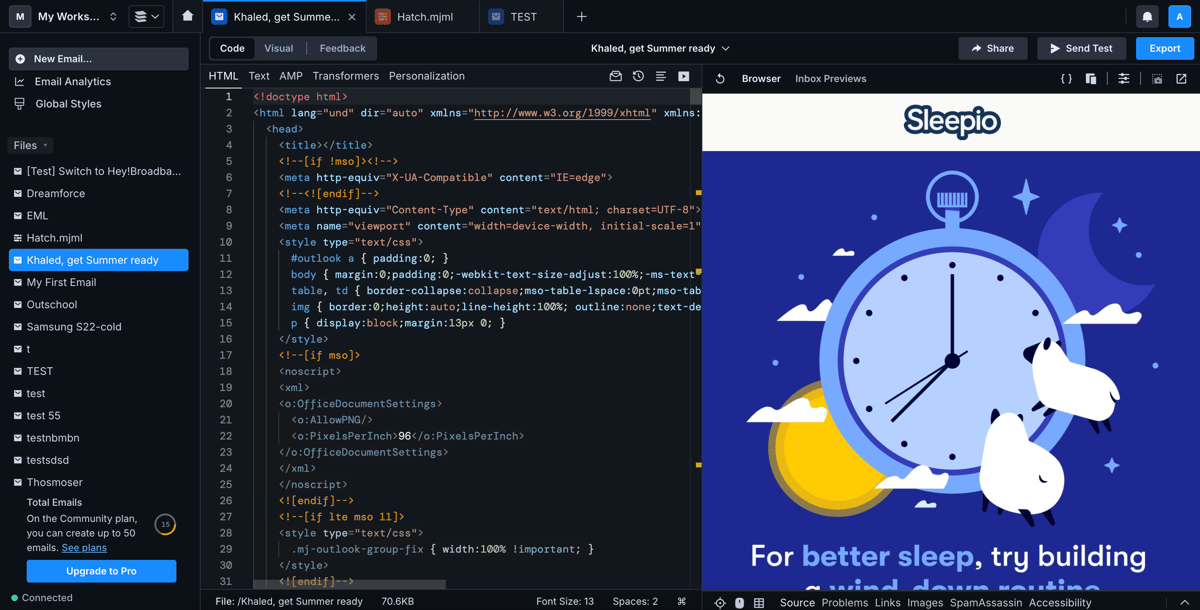
This list is for marketers, but most email programs have one person who works in the code, and Parcel is built for them. It is a code editor made for email: live preview as you type, dark mode and image-blocking simulation, client-support data from Can I Email shown inline, an accessibility checker, CSS inlining and minification, and reusable components. The Business tier adds SpamAssassin scanning and approval workflows, and a pay-as-you-go add-on renders your email in 80+ real inboxes.
Pricing: Community is free (50 emails, solo), Pro is $29 per user a month, Business is $56 per user a month. Inbox previews are an addon from $49 for 500 renders.
- Best for: the developer or technical marketer who owns your templates.
- Skip if: nobody on your team wants to work in code. It is a professional code tool, and marketers will not be able to use it on their own.
For a detailed comparison, read Email Love Builder vs Parcel.
Side by side
| Tool | Best for | Free tier | Paid from | How the HTML gets made |
|---|---|---|---|---|
| Email Love Builder | Teams that design in Figma | Plugin: 5 exports/mo | Plugin $19/user/mo; Builder custom quote | MJML from Figma components mirrored into the Builder |
| Stripo | One editor with code access | 4 exports/mo | $20/mo | Drag-and-drop plus direct HTML/CSS editing |
| RGE Studio | Easiest editor, team approvals | 10 designs, 6 exports/mo | $25/mo (annual) | Drag-and-drop, one-click ESP push or HTML export |
| Postcards | Polished emails without a designer | Editor free, no signup | See vendor pricing | Pre-tested modules, AI Suite, HTML export |
| Parcel | Developer-owned templates | 50 emails, solo | $29/user/mo | You write it, with email-specific tooling |
Which one should you pick?
- Your designs exist in Figma: generate the HTML from those designs instead of recreating them in an editor. That is what Email Love is built for.
- You want one standalone editor: Stripo if someone on the team will use the code view, RGE Studio if nobody will, Postcards if you want the templates to carry the design for you.
- A developer owns email: Parcel, plus MJML directly if they prefer a framework to an editor.
Frequently asked questions
How do you create an HTML email template without coding?
Use a builder that generates the HTML from a visual layout: every tool above except Parcel does this. The quality difference is in what the generator knows about email clients. MJML-based output and pre-tested modules hold up in Outlook and dark mode. Simpler generators can produce HTML that looks right in the editor and breaks in inboxes.
Is MJML better than writing raw HTML?
For almost everyone, yes. MJML compiles a simple markup into the tables, conditional comments, and fallbacks email clients need, and its output is maintained against client changes. Hand-written HTML is only better when you need something MJML cannot express, which is rare in marketing email.
Will the HTML from these tools work in Outlook?
All five generate or support the fallbacks legacy desktop Outlook needs. The more useful question is whether you will see problems before sending: look for real client previews (Email Love covers 90+ clients, Parcel’s addon renders 80+ real inboxes, Stripo has client testing built in) rather than a single preview pane.
For the full tool-by-tool comparison including the enterprise platforms like Knak and Stensul, see my best email template builder breakdown, or our comparison pages. And if you want to see your own Figma file become sendable HTML today, the Email Love plugin has a free tier to try on a real design.
Much love,
Andy

Andy has spent two decades building email programs for brands and agencies, and now co-runs Email Love: the inspiration gallery of 474,000+ emails and the Figma plugin that lets teams design, build, and export production-ready email without leaving their design file. He writes about email design systems, production workflow, and where the industry is heading.

Customer.io is an AI-powered customer engagement platform designed for organizations to create personalized customer journeys that engage, convert, and scale. Orchestrate messages across all channels, including email, in-app, SMS, push, and webhooks. Over 8,000+ companies, including Notion, LESMILLS+, and Angi, rely on Customer.io to power their messaging needs.
 Sep 17, 2026 · 5 min read
What Is Headless Email Design? Build in Figma, Send Through Your ESP
Read article →
Sep 17, 2026 · 5 min read
What Is Headless Email Design? Build in Figma, Send Through Your ESP
Read article →
 Sep 16, 2026 · 8 min read
Competitor Email Monitoring: What to Track and How to Do It
Read article →
Sep 16, 2026 · 8 min read
Competitor Email Monitoring: What to Track and How to Do It
Read article →
 Sep 9, 2026 · 8 min read
People love posting the wins. Here are some of our flops.
Read article →
Sep 9, 2026 · 8 min read
People love posting the wins. Here are some of our flops.
Read article →

