

On this page · 3 min read
Email is a team sport. There’s usually a designer, a copywriter, and a marketer working on every send, and often a developer building it. But when it comes to finding inspiration, everyone tends to work on their own. Someone sees a great email on Email Love, grabs a screenshot and drops it into Slack with a note like “we should do something like this.” The screenshot gets buried, nobody can find the original, and by the time you sit down to design, the conversation is gone.
That’s what we wanted to fix. Starting today, you can collaborate with your whole team on Email Love to create email.
You can connect with your teammates
You can now invite the people you work with to join your team on emaillove.com. Once they’re in, you’re all looking at the same inspiration in the same place, instead of passing links around.

Collections can be shared with the whole team
Collections used to be just for you. Now you can share them with your team, so everyone can add to them and work from them. A lot of teams we talk to keep a running collection for each campaign type, like welcome series, abandoned cart, or holiday sends, and this makes that a lot easier.
You can comment on emails and tag teammates
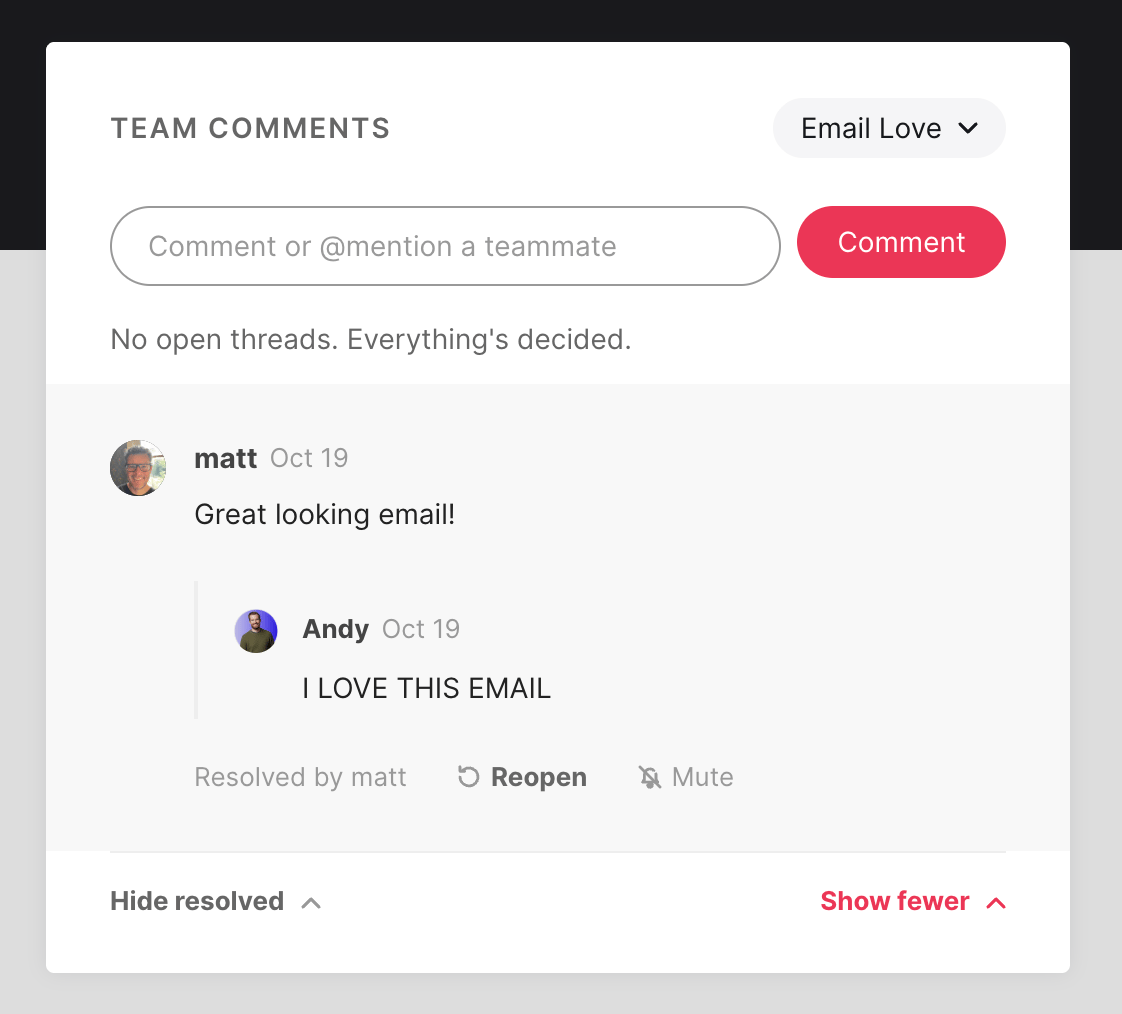
You can now leave a comment on any email in the library and tag a teammate in it. So if you find a welcome email you love, you can tag your designer and say “here’s a really good welcome email example, let’s use this as inspiration for our next welcome email design.” They get notified, and the comment stays with the email so the context doesn’t get lost.
Ways teams are using it
Planning a campaign. Before you start designing for Black Friday or a product launch, set up a shared collection and have everyone add emails they like. By the time you sit down to brief the work, you’ve already got a mood board the whole team agrees on.
Briefing a designer. Instead of describing what you want in a doc, tag your designer on a few emails and say what you like about each one, like the layout on this one and the colors on that one. It’s a lot faster than going back and forth.
Getting copy feedback. Your copywriter can save emails with subject lines or headlines they think are working and tag the marketer to talk them through. The discussion stays on the email itself, so you can find it later.
Checking what’s buildable. Tag your developer on an email before you commit to a design. They can flag anything that’ll be hard to code or won’t render well in Outlook before it becomes a problem.
Keeping an eye on competitors. Set up a shared collection for competitor emails and have the team drop in anything interesting. Over a few months, you’ll have a clear picture of what everyone else is sending.
Onboarding new hires. Point a new team member at your collections, and they’ll pick up your team’s taste and standards much faster than they would from a brand guidelines PDF.
How to set it up
It takes a couple of minutes.
- Start a team. Log in to emaillove.com, click View Collections in the top right, then open the Team tab. Click your team name to open the team menu, choose Start a new team, give it a name and click Create team.
- Invite your teammates. In the Members box on the right, click Invite. You can add up to 10 email addresses at a time, then click Send invites. Only the team owner can send invites, and they expire after 14 days, so give people a nudge if they haven’t joined.
- Create a team collection. On the Team tab, click New team collection. Anything you or your teammates save to it shows up for the whole team.
- Comment on an email. Open any email in the library and you’ll see a Team Comments box next to it. Type your comment, add an @ before a teammate’s name to tag them, and click Comment. If you’re on more than one team, pick which one you’re commenting in from the dropdown at the top of the box.
- Choose your notifications. Go to Settings, then Team emails. You can get an email for every mention and reply, only when someone @mentions you, or nothing at all.
If you’ve got feedback on how it’s working for your team, we’d really like to hear it. Just reply to any of our emails.
Much love,
Andy

Andy has spent two decades building email programs for brands and agencies, and now co-runs Email Love: the inspiration gallery of 597,000+ emails and the Figma plugin that lets teams design, build, and export production-ready email without leaving their design file. He writes about email design systems, production workflow, and where the industry is heading.

Customer.io delivers more impact from every message–unifying data, messaging, and AI into one platform so every customer interaction gets smarter over time. We help teams build personalized campaigns across email, SMS, push, in-app, and webhooks, using their own first-party data to reach the right people with the right message at the right moment. AI is built into the platform to remove the grunt work, letting marketers focus on strategy, not setup. Over 9,000 brands trust us to power their messaging.
 Oct 20, 2026 · 9 min read
Salesforce Is Buying Braze. It Got Me Thinking About ESP Migrations.
Read article →
Oct 20, 2026 · 9 min read
Salesforce Is Buying Braze. It Got Me Thinking About ESP Migrations.
Read article →
 Oct 14, 2026 · 11 min read
10 MCP servers for marketers, and how I use them
Read article →
Oct 14, 2026 · 11 min read
10 MCP servers for marketers, and how I use them
Read article →
 Oct 1, 2026 · 9 min read
10 Halloween emails from last year to inspire your campaigns
Read article →
Oct 1, 2026 · 9 min read
10 Halloween emails from last year to inspire your campaigns
Read article →

