On this page · 4 min read
Building an email design system normally takes weeks. Most of that time isn’t spent designing. It goes on working out what the brand actually does: digging through their old sends to find the margins, the type sizes, the button styles, whether they’ve ever done anything with dark mode. Drawing the components is the quick part.
I wanted to see how much of that Claude could do. The video above is the whole process, start to finish. A Ford email design system built in Figma, 23 components, and a test email I sent through Inbox Monster at the end. Under 30 minutes.
Here’s how it went, and what I’d watch out for if you try it.
Start with real emails
Claude needs to see what the brand actually sends. I used our Inspiration MCP because it’s connected to the 400,000 emails on Email Love, so I can ask for a brand by name.
Use the Email Love MCP to pull at least 20 email examples from Ford Motor Company.
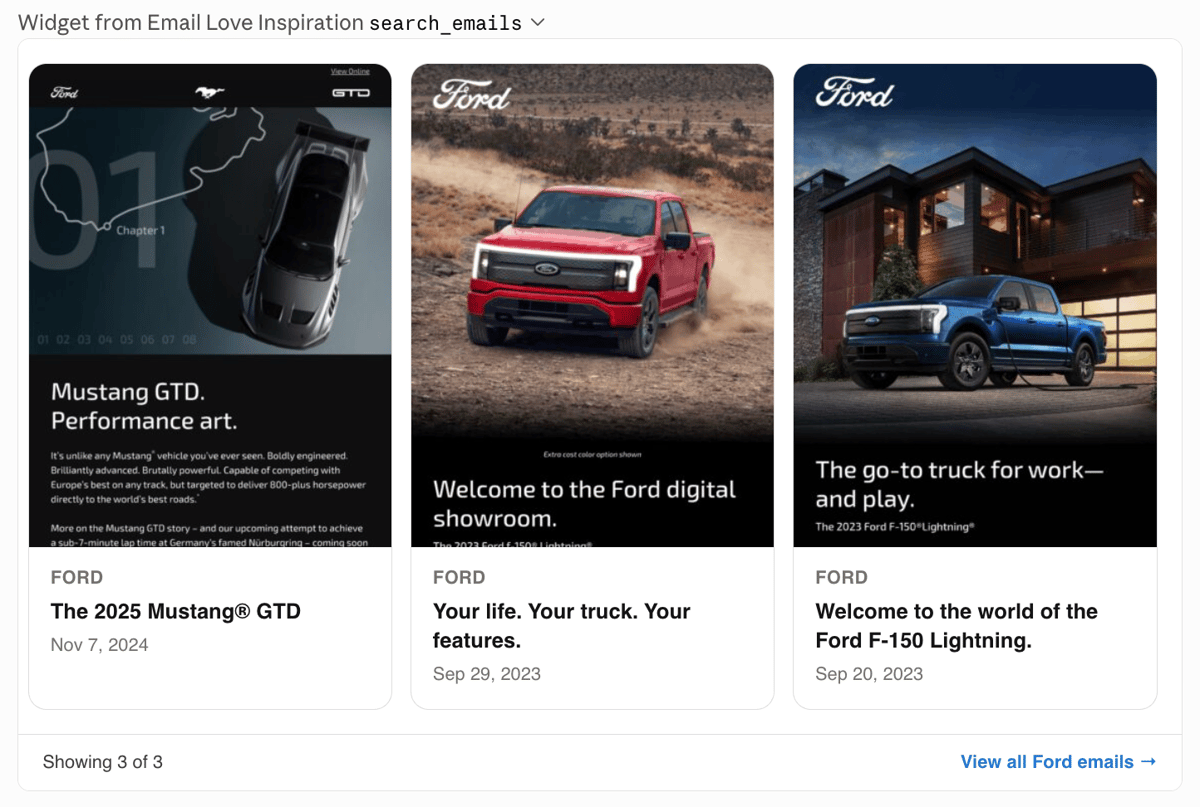
You don’t need our MCP for this. Paste in HTML, upload screenshots, or connect Claude to your ESP and pull your own sends out of Klaviyo or Customer.io. It just needs real emails to look at.
Ask for at least 20. Below that you can’t tell a rule from a one-off.
The MCP gives you more than the designs. It told me Ford send on Salesforce, and showed their cadence and subject lines, which is useful if you’re building for a client whose program you don’t know.
Building the system in Figma
Use the Email Love builder skill to create a best practice design system for Ford in Figma.
It audits the emails first and tells you what it’s going to build: header, navigation, hero sections, offer blocks, a legal disclaimer, image grids, footer. Then it writes the file.
The part I didn’t expect was the foundations page. It documents where the numbers came from. The side margin is 36px because Ford’s CTA buttons sit at x=36 in two of the three sends it sampled, and the body copy reads 37 to 39, which is that edge plus the sidebearing. Our own default is 20. Ford’s is 36, and every module in the file uses it.
That matters when someone picks the file up in six months and wants to change something.
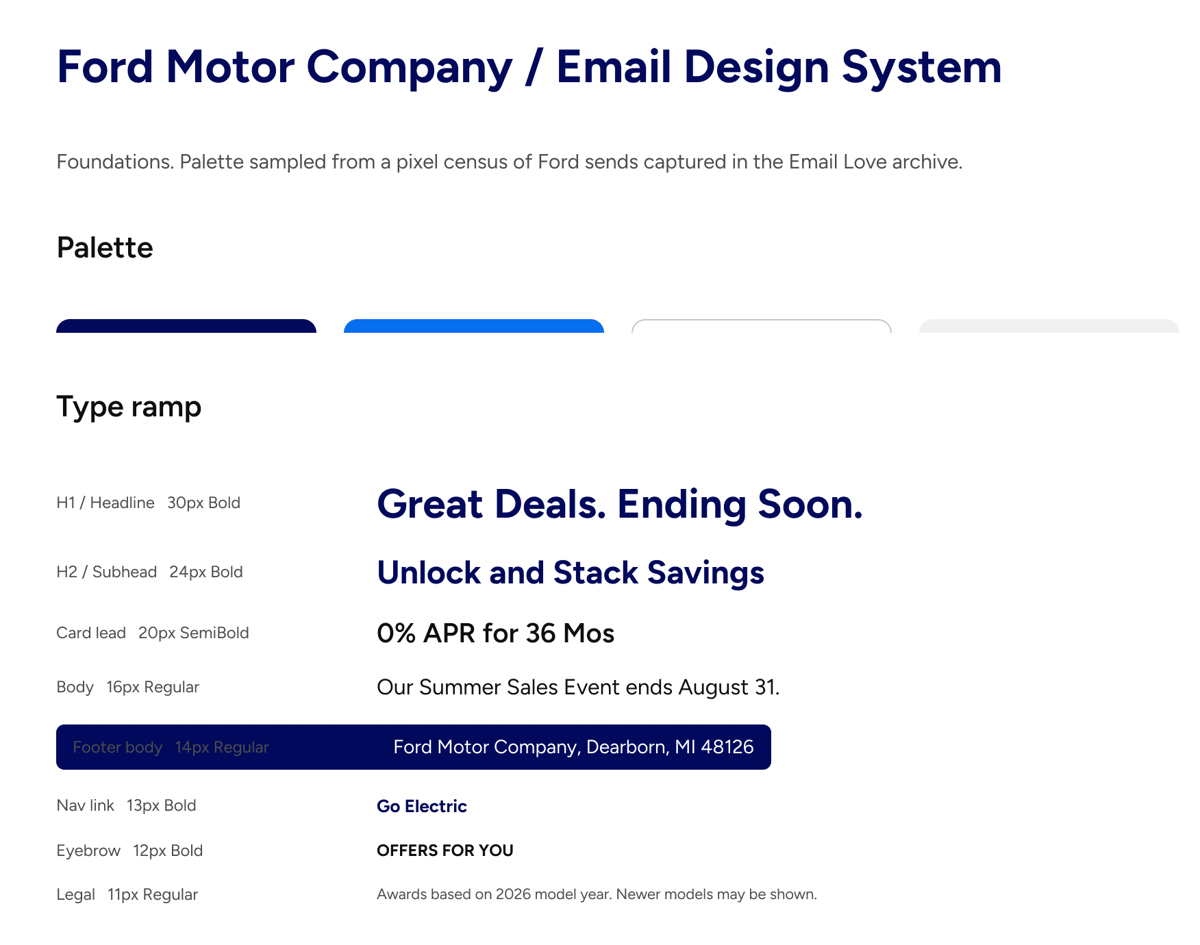
The components sit on separate pages: headers, heroes, single and multi-column sections, lists, footer. 23 in total. Properties are already set up, so headlines, body copy and button labels are editable, and you can toggle sections on and off from the asset library.
You’ll still want to change things. I’d tighten some of the padding and force transparent PNGs on the logo. But you’re editing something rather than starting from a blank file.
Claude never writes the HTML
Worth being clear about what Claude actually did, because it decides how much you can trust the output.
It didn’t write a line of HTML. It built components in Figma, following the rules in our plugin skills. The HTML comes from the plugin afterwards. It reads the frames and layers in the file and converts them to MJML, which compiles to responsive email HTML. Same file in, same HTML out, every time.
That’s deliberate. Let an LLM write email HTML and sooner or later it drops a table, changes a width or breaks a fallback, and you don’t find out until it’s sitting in someone’s inbox. Claude is good at working out what a brand’s components should be. We keep it away from the code.
Testing it in the inbox
I exported the email from the plugin and sent it to Inbox Monster, which rendered it across 97 clients.
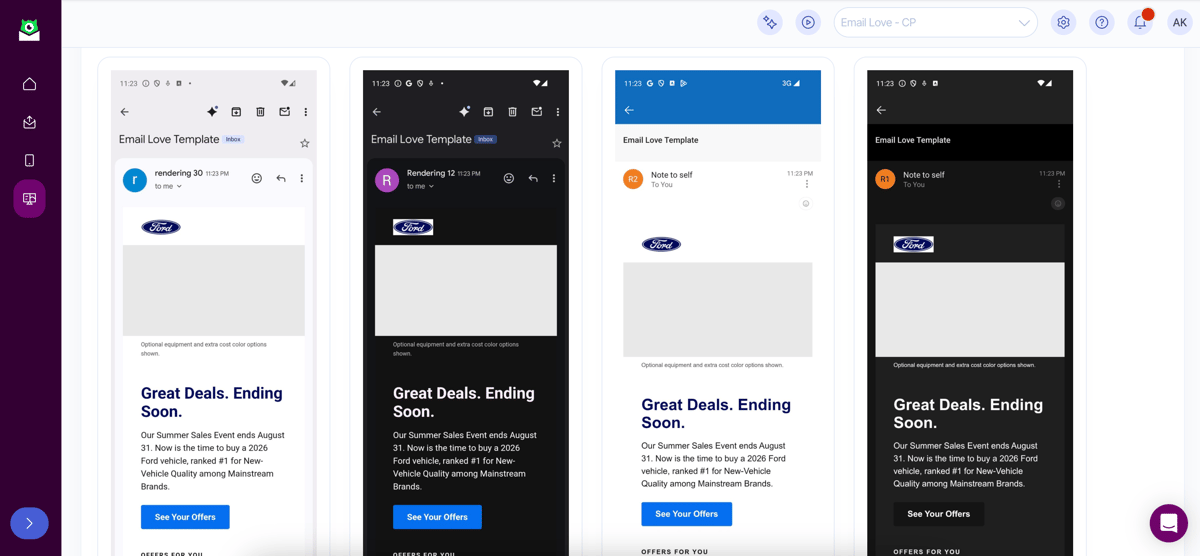
Nothing broke. Outlook on Android recolored the footer in dark mode, and desktop Outlook rendered the buttons square. Both of those happen to every email, whether you hand-code it or build it in Stripo. Outlook has never supported border-radius.
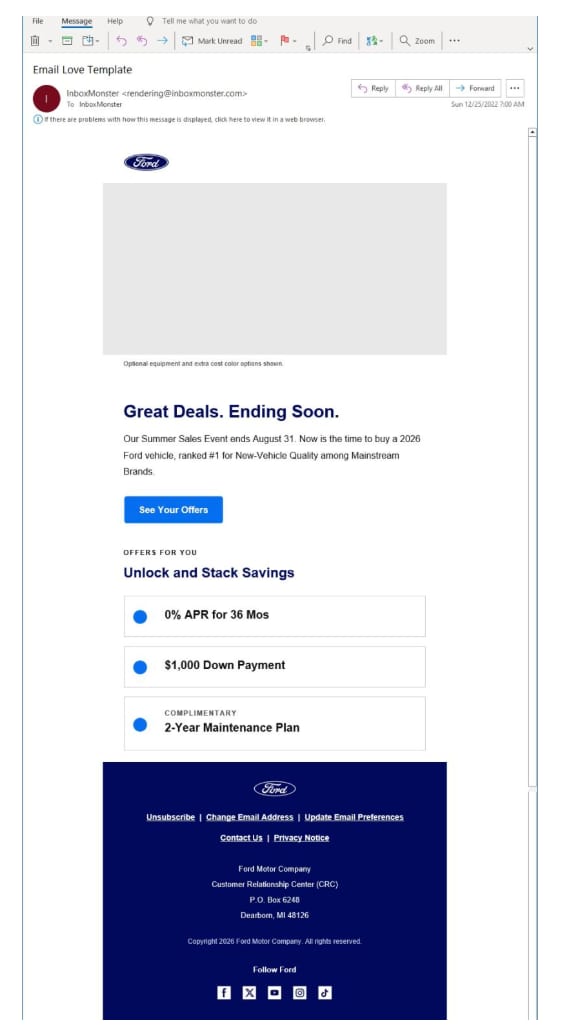
Everything else held: spacing, type, the offer list, the footer. The social icons came through at 25px rather than blowing out to 64px, which is a common problem with fluid images on mobile.
So the output behaves like an email you’d have built yourself.
What I’d watch out for
Pull at least 20 sends before you ask for anything. Three examples will give you a system built on coincidences.
Make your changes on the foundations page rather than in individual components, so they carry through to all 23 modules.
Render test it before anyone builds on it. 97 previews takes about ten minutes.
Look closely at dark mode. Ford don’t run any dark mode treatments across the 43 sends we have on file, so that part of the system is Claude’s best guess rather than anything Ford actually ship.
Try it yourself
I’ve put the Ford system on the Figma Community so you can duplicate it and pull it apart. If you want to build your own, install the skills and point them at a brand.
- Ford email design system: duplicate it on Figma Community
- Email Love Claude skills: install instructions for Claude.ai, Claude Code, and Claude Desktop
- Email Love for ChatGPT: the same workflow, in ChatGPT
- Email Love Inspiration MCP: connect 400,000+ emails to Claude, ChatGPT, or Cursor
- Email Love Figma Plugin: design in Figma, export production-ready HTML
If you’d rather we did it for you, our Custom Design System service gets you 50 components built by hand.
Let us know how you get on.
Much love,
Andy

Andy has spent two decades building email programs for brands and agencies, and now co-runs Email Love: the inspiration gallery of 570,000+ emails and the Figma plugin that lets teams design, build, and export production-ready email without leaving their design file. He writes about email design systems, production workflow, and where the industry is heading.

Customer.io delivers more impact from every message–unifying data, messaging, and AI into one platform so every customer interaction gets smarter over time. We help teams build personalized campaigns across email, SMS, push, in-app, and webhooks, using their own first-party data to reach the right people with the right message at the right moment. AI is built into the platform to remove the grunt work, letting marketers focus on strategy, not setup. Over 9,000 brands trust us to power their messaging.