
Email template builders, compared.
We compared Email Love Builder with Knak, Stensul, Taxi for Email, Dyspatch, RGE Studio, Stripo, Parcel, and Postcards. Each page covers the real differences, including when the other tool is the better choice.













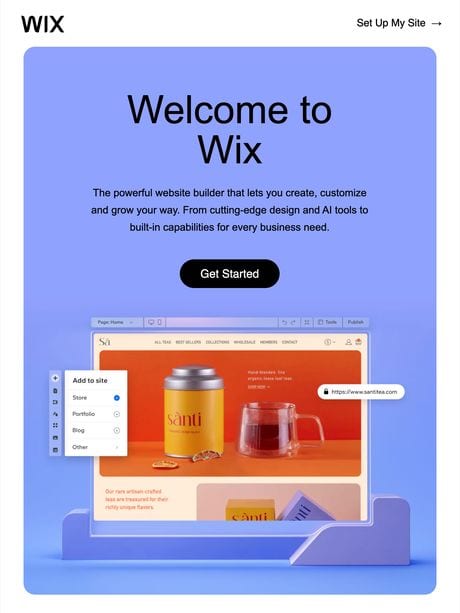














How to compare email template builders in 2026.
Every tool on this page makes email production faster, so speed is not a useful way to choose between them.
A better starting point is where your designs live.
If your design system is in Figma, with components, Auto Layout, and Variants, most builders will ask you to recreate it in their own editor. That gives you a second design system. Someone has to build it, and someone has to keep it matched to the one in Figma every time the brand changes.
These three questions will narrow the list quickly:
-
1
Where do your designs live?
If the answer is Figma, choose a builder that uses Figma as the source of truth. As of September 2026, Email Love Builder is the only tool on this list that does. If your designs live in a template library, in code, or in the builder itself, several tools below fit that better, and the cards say which.
-
2
Where do your designers and marketers work?
In most teams, designers maintain the email design system and marketers build the campaigns. Email Love Builder lets each team work in its own tool: designers stay in Figma, and marketers build from the same components in a drag-and-drop editor. The other tools on this list keep production components inside the tool, so a design system that lives in Figma is rebuilt or imported there and kept matched by hand. Teams where developers hand-code email tend to prefer Parcel or Taxi.
-
3
What happens when your brand changes?
In most builders, a brand change has to be made twice: once in Figma and again in the builder’s own component library. Email Love Builder maps production back to Figma instead, so the change is made once in Figma and re-synced.
Head-to-head comparisons.

Email Love Builder vs Knak
Knak suits large Marketo, SFMC, and Eloqua teams. Email Love Builder suits teams whose design system lives in Figma.
Read the comparison →
Email Love Builder vs Stensul
Stensul adds approvals and legal review to email creation. Email Love Builder keeps emails on brand with locked components from Figma.
Read the comparison →
Email Love Builder vs Taxi for Email
Taxi’s design system is hand-coded by developers. Ours is your Figma library, maintained by designers.
Read the comparison →
Email Love Builder vs Dyspatch
Dyspatch imports Figma designs once and is strong on AMP email. Email Love Builder maps production to your Figma components.
Read the comparison →
Email Love Builder vs RGE Studio (Beefree)
RGE Studio is an easy drag-and-drop editor for small teams. Email Love Builder is for enterprise teams that design in Figma.
Read the comparison →
Email Love Builder vs Stripo
Stripo has a large template library and a code view. Email Love Builder works from your own Figma design system.
Read the comparison →
Email Love Builder vs Parcel
Parcel is a code editor for email developers. Email Love Builder generates the code from your Figma designs.
Read the comparison →
Email Love Builder vs Postcards
Postcards starts from 100+ pre-designed modules and AI. Email Love Builder starts from your own Figma design system.
Read the comparison → MigrationSwitching builders?
Our team converts your templates and design system for you. Over 1,000 templates converted, most within two weeks.
Book a call →At a glance.
| Tool | Best for | Design system maintained in | Marketers build in | Published pricing |
|---|---|---|---|---|
| Email Love Builder | Enterprise teams that design in Figma | Yes: Figma, by your designers, with each component mapped to the Builder | Yes: A drag-and-drop editor built from your Figma components | Yes: From $19/mo for the Figma Plugin; custom quote for the Builder |
| Knak | Enterprise Marketo, SFMC, Eloqua orgs | Partial: Knak modules; the Figma plugin builds emails from Knak’s own blocks | Yes: A no-code editor with locked modules | No: Custom quote only |
| Stensul | Regulated enterprises, approval chains | Partial: Stensul modules, with a one-way Figma module import (Sept 2026) | Yes: A modular editor that needs little training | No: Custom quote only |
| Taxi for Email | High-volume variants from a master template | No: Taxi Syntax, hand-coded by developers or an agency | Yes: Visual assembly from the master template | No: Custom quote only |
| Dyspatch | AMP and interactive email at scale | Partial: Dyspatch blocks, with a one-way Figma importer | Yes: A no-code editor with pre-approved blocks | No: Custom quote only |
| RGE Studio (formerly Beefree) | Small teams and agencies, fast starts | Partial: RGE Studio’s editor, with an HTML importer for outside designs | Yes: The same drag-and-drop editor | Yes: Free, then from $30/mo |
| Stripo | Template volume on a budget | Partial: Stripo modules; third-party plugins can send HTML from Figma | Yes: The same editor, in drag-and-drop mode | Yes: Free, then from $20/mo |
| Parcel | Developers who hand-code email | No: Code, maintained by developers | No: Developers code the emails; teammates preview and comment | Yes: Free, then from $29/mo |
| Postcards (Designmodo) | Solo marketers and small teams, module-first | Partial: Postcards modules and brand presets; one-way Figma export plugin | Yes: The same drag-and-drop editor, with AI Suite | Yes: Free, then from $16/mo |
Competitor details checked September 2026 (how we research these comparisons). Spot something out of date? Tell us and we will fix it.
Best fit by workflow.
-
1
Email Love Builder
Best fit for teams whose designers maintain the email design system in Figma and whose marketers need a drag-and-drop editor built from it, without recreating it in another tool.
-
2
Knak
Best fit for enterprise teams centered on Marketo, Salesforce Marketing Cloud, or Eloqua that want deep native sync and enterprise governance.
-
3
Stensul
Best fit for teams that need approvals, permissions, and legal review built into email creation.
-
4
Taxi for Email
Best fit for teams that produce high volumes of variants from stable master templates.
-
5
Dyspatch
Best fit for programs built on AMP and interactive email.
-
6
RGE Studio
Best fit for teams without a formal design system that want a standalone visual editor.
-
7
Stripo
Best fit for teams that want a broad template ecosystem, low-cost seats, code access, AMP, and wide export coverage.
-
8
Parcel
Best fit for developer-owned workflows where emails are coded by hand.
-
9
Postcards
Best fit for solo marketers and small teams that want polished, module-based emails and AI generation without a designer.
Switching builders? Migration is the hard part. So we make it easy.
Whichever tool you are leaving, our team converts your existing templates and design system for you. Most migrations complete within two weeks, and we have converted over 1,000 templates to date.
Questions, answered.
Are these comparisons biased?
We make Email Love Builder, so keep that in mind. To keep the pages fair, each one lists the cases where the other tool is the better choice, quotes each competitor’s published pricing where it exists, and dates every fact so you can check it. How we research these comparisons explains our sources.
What makes Email Love Builder different from these tools?
Designers and marketers each work in their own tool. Designers maintain the email design system in Figma, and marketers build campaigns from the same components in a drag-and-drop editor, without opening Figma. Each production component in the Builder is mapped to its component in Figma, and designers re-sync it when it changes, so nobody rebuilds the design system inside the builder. The other tools on this list keep their own copy of your designs, rebuilt in their editor or imported once, and that copy is updated separately when Figma changes.
Several of these tools list Figma features now. Is that the same thing?
No. Knak’s plugin publishes emails built from Knak’s own blocks. Dyspatch imports Figma designs as editable emails. Stensul added reusable Figma modules in September 2026. Each of these brings a design in once, and none of them keeps your Figma components mapped to its own. A later change in Figma does not reach them until someone imports it again.
Can you help us switch from one of these tools?
Yes. Our team converts your existing templates and design system for you, and most migrations complete within two weeks. Book a migration call and bring your current setup.
Don’t take our word for it.
Ask your AI.
We wrote a comparison prompt that asks an AI assistant to check these claims independently against current public sources. Choose an assistant below to run it.

